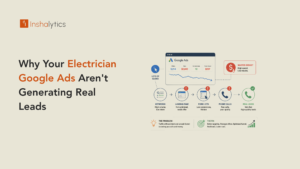
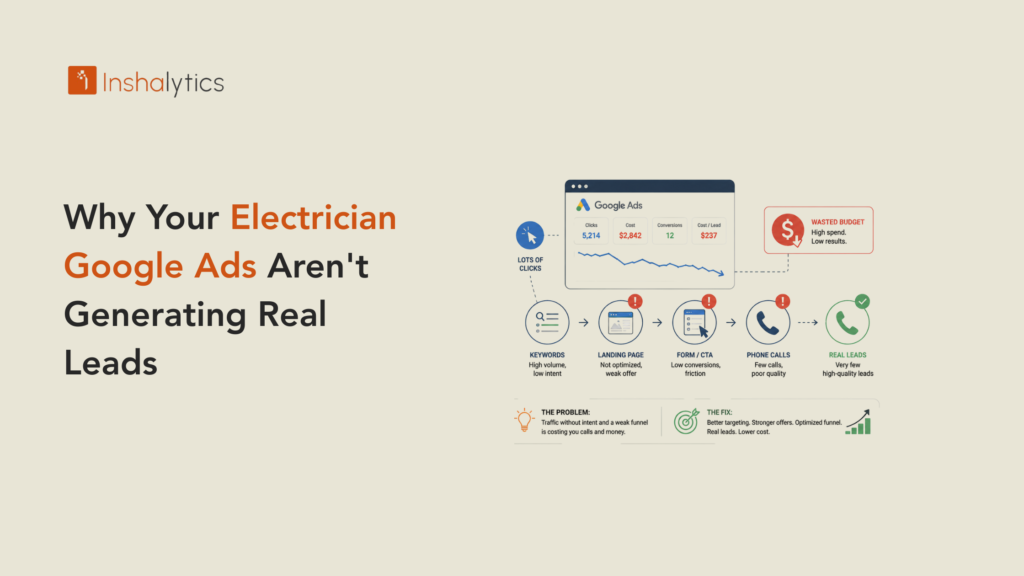
The campaign is live, clicks are coming in, and the phone still isn’t ringing with anything worth calling a lead. This is one of the most common complaints in electrician PPC, and it’s rarely about the ad copy. It’s almost always one of a small handful of structural issues sitting upstream of the ad itself.
This guide walks through what’s actually causing the gap between clicks and real, bookable leads, and closes with a straightforward thirty-day plan to fix it.
“Leads” and “Real Leads” Aren’t the Same Thing
Before troubleshooting anything else, it’s worth being honest about what’s actually showing up in that lead count, since the two numbers get confused constantly.
Filtering Out DIYers, Students, and Price Shoppers
A form fill or call from someone looking for a DIY wiring tutorial, an electrical program, or three competing quotes to shop the lowest price still counts as a lead in most dashboards, without ever being a real prospect. If lead volume looks healthy but booked jobs don’t follow, this mismatch is one of the first places to look.
It’s worth pulling a sample of recent leads and actually listening to a handful of the calls, rather than trusting the count alone. This single exercise often reveals the gap faster than any dashboard metric.
A pattern of short calls that end quickly without a booked appointment is a strong signal that a meaningful share of leads fall into this category.
Why Click Volume Can Mask a Real Lead Problem
A campaign generating plenty of clicks and a reasonable number of form fills can still be failing badly if most of that volume is coming from people who were never going to hire. Click and lead counts alone don’t reveal this. Only looking at what happens after the lead, close rate and actual booked jobs, does. This is the same distinction worth applying across every electrician lead generation channel, not just paid search.
A dashboard showing rising clicks and rising leads can look like a success story right up until someone checks how many of those leads actually turned into a scheduled job.
The Campaign-Type Mistake That Wastes the Most Budget
One of the most expensive, and most common, mistakes happens before targeting or copy even enters the picture.
Performance Max and Display Aren’t Built for Service Calls
Campaign types built for broad reach and brand awareness, like Performance Max and Display, are designed for a completely different kind of business than a local electrician needing direct calls. These formats can generate impressive-looking click and impression numbers while producing very few leads that were ever ready to hire.
These campaign types often look appealing precisely because the reported numbers look strong, which makes the underlying lead-quality problem easy to miss without digging deeper into what those leads actually turn into.
Google’s own recommendations often nudge accounts toward these broader formats, since they’re simpler to set up and can spend budget efficiently from Google’s perspective, even when they’re not the right fit for a service business chasing direct calls.
Keeping Spend on Search and Local Services Ads
Search campaigns targeting active, high-intent queries, paired with Local Services Ads, consistently produce the strongest lead quality for electricians, because both formats reach people who are actively looking to hire right now, not passively browsing.
Concentrating budget here first, before experimenting with broader-reach formats, gives a much clearer baseline for what genuinely qualified lead volume looks like for a given market.
Fixing Targeting, Copy, and Landing Pages
Once the campaign type is right, the next layer of fixes lives in targeting precision and what happens after the click.
Negative Keywords Every Electrician Account Needs
Terms like DIY, salary, training, certification, and jobs should be added as negative keywords in nearly every electrician account, since none of these searches will ever produce a paying customer. Reviewing the search terms report regularly and expanding this list over time keeps budget concentrated on real intent.
New irrelevant terms tend to surface every few weeks as Google’s matching adjusts, which means this list needs regular attention rather than a single setup pass at launch.
Matching Ad Copy to Panel Upgrade vs. Emergency Intent
Generic ad copy that tries to speak to every kind of electrical need at once tends to underperform copy written specifically for the search behind it. An ad for panel upgrade searches should read differently than an ad for emergency searches, because the two searchers want to hear different things.
Writing two versions instead of one generic version is a small amount of extra effort that consistently pays off in both click-through rate and lead quality.
Verifying the Problem Isn’t Actually Your Tracking
Sometimes the leads are real, and the account just can’t see them properly.
Auditing Conversion Tags and Call Tracking
Broken or misconfigured conversion tags, or call tracking that isn’t capturing every inbound call correctly, can make a genuinely working campaign look like it’s failing. This is worth ruling out early, since it’s a common cause and a relatively quick fix once identified.
A simple test, calling the tracked number directly and confirming it shows up correctly in the reporting, takes a few minutes and catches a surprising number of broken setups.
Recalculating Performance by Cost-Per-Booked-Job Once Data Is Clean
Once tracking is confirmed accurate, recalculating performance by cost-per-booked-job, rather than cost-per-lead, often tells a very different story than the dashboard was showing before, sometimes revealing a campaign that was actually performing better than it appeared.
This step should always come before deciding to pause or overhaul a campaign, since a tracking problem masquerading as a performance problem leads to fixing the wrong thing entirely.
A 30-Day Fix Plan
A focused thirty-day push, addressing campaign type, negative keywords, and tracking in that order, is usually enough to see a measurable shift in real lead quality, without needing to rebuild the account from scratch.
What to Change in Week One
Pause or restructure any Performance Max or Display campaigns competing for the same budget as Search and LSAs, and add the core negative keyword list immediately. These two changes alone typically produce the fastest visible shift in lead quality.
These are also the two changes with the least risk of disrupting anything that’s currently working, which makes them a safe place to start before touching bids or ad copy.
What Improvement Should Look Like by Day 30
By day thirty, close rate on new leads should show a noticeable improvement even if total lead volume drops slightly, since the remaining leads are more concentrated among people who were actually ready to hire. If nothing has shifted by then, the issue likely sits deeper than these initial fixes and is worth a full account audit, ideally alongside a look at whether organic local visibility is carrying its share of the load too.
A drop in total volume paired with a rise in close rate is a sign the fix is working as intended, not a reason to panic and reverse course.
A Google Ads account that’s generating clicks but not real leads almost always has a specific, identifiable cause, whether that’s the wrong campaign type competing for budget, a thin negative keyword list, or tracking that’s quietly hiding the truth. Fixing these in order, rather than assuming the ad copy itself is the problem, is what turns click volume into actual booked jobs.
Want a fast, no-obligation look at where your leads are leaking out? Get a free 30-minute account audit and find out what’s really happening.