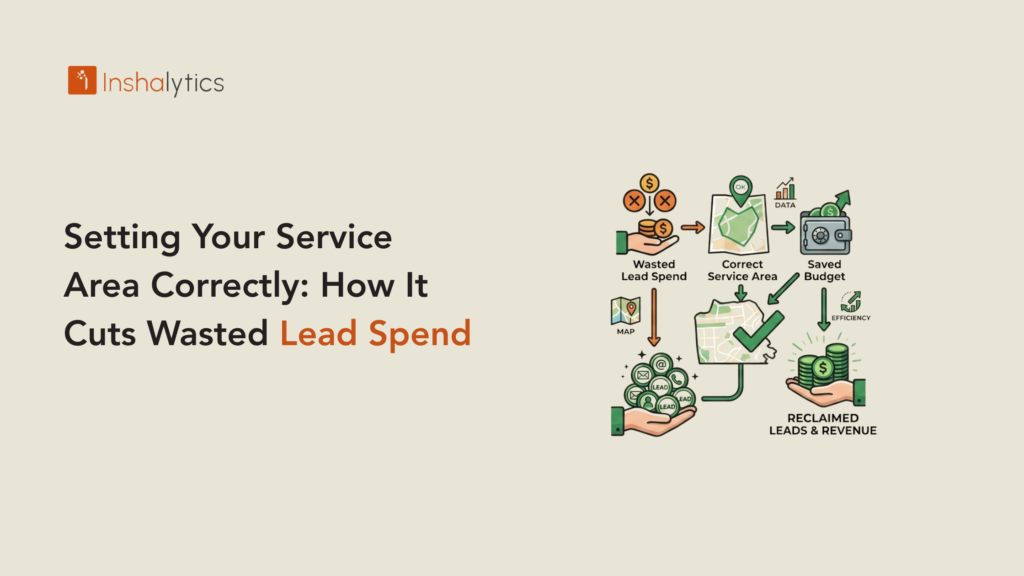
Your service area settings are doing more work in your marketing than most handyman business owners realise. They determine which searches surface your GBP, which platform leads get sent to you, how your LSA ads are targeted, and which areas your Google Ads serve impressions. Misconfigured service areas send you leads from places you will not go and withhold you from searches in the places you actually want to work. The result is wasted lead spend on inquiries you cannot convert and missed visibility in the neighbourhoods and zip codes where you could be generating the most efficient jobs. This guide covers how to configure your service area correctly across all channels that use it. In this guide, we cover handyman service area and what to do next.
Why Service Area Configuration Is a Marketing Decision, Not Just a Settings Task
Most handyman business owners set their service area once during account setup and never revisit it. Over time, as they learn which zip codes produce the best jobs, which areas have the longest drives between jobs, and where their best referral customers are concentrated, that initial setting becomes increasingly misaligned with their actual profitable service geography. Updating your service area settings to reflect where you most want to work is a marketing action that directly reduces wasted lead spend and increases the proportion of leads that are convertible to booked jobs.
How an Oversized Service Area Inflates Your Lead Cost
Setting your service area too broadly generates leads from addresses you will not profitably serve. A handyman business based in the north suburbs of a city with a 40-mile service area will receive leads from the south suburbs, 35 miles away, where the drive time makes small repair jobs unprofitable. Even if you reject those leads or decline to quote, you paid the platform fee. You invested the callback time. You absorbed the opportunity cost of not being on a job that was closer. An oversized service area dilutes your lead volume across unprofitable geography. A correctly sized service area concentrates your lead spend on the geographies where your time and travel are efficient.
How an Undersized Service Area Limits Your Lead Volume
Setting your service area too tightly leaves leads on the table in adjacent areas where you could profitably work. A handyman who only covers a single zip code when their city of 300,000 people spans twelve zip codes is artificially limiting their GBP visibility, their platform lead volume, and their Google Ads impression share. The correct service area includes every zip code or neighbourhood where you would genuinely drive for a job at your standard rates without needing to charge an additional travel fee. This is usually a radius that includes your home base plus the adjacent high-population areas you already serve organically through referrals and word of mouth.
How to Define Your Actual Service Area
Your service area should be based on drive time and job density, not a round radius from your home address. These two factors are what determine whether a lead from a given location is actually profitable for you to serve.
The Drive Time Test
Set your maximum acceptable drive time for a standard job. For most handyman businesses, this is 25 to 40 minutes one way for jobs at standard rates. Jobs that require more than 40 minutes of drive time each way need to be either larger jobs that justify the travel or charged with a travel fee. Run a drive-time analysis from your home base at your maximum acceptable time and map the boundary. This boundary, adjusted for natural geographic boundaries (rivers, highways, municipal lines), is your real service area. It is almost never a perfect circle, and it should not be set as one.
The Job Density Test
Within your drive-time boundary, are there specific areas where you consistently do not want to work? High-traffic corridors that add 15 minutes to a nominally short drive, areas with poor parking access, neighbourhoods with very small average job sizes, or locations where you have historically had difficult customer relationships are all legitimate reasons to exclude specific areas even within your drive-time boundary. Conversely, are there areas just outside your drive-time boundary where you have existing customers, strong referral relationships, or consistently high-value jobs? These are worth including, even if they are technically at the edge of your efficient range.
Configuring Service Area on Your Google Business Profile
Your GBP service area configuration determines which local searches surface your business on Google Maps and in the Local 3-Pack. Because GBP is a service-area business setup (you go to the customer rather than having a storefront), the correct configuration is critical for both visibility and relevance.
How to Set Up Your GBP as a Service-Area Business
In your GBP dashboard, navigate to Business Information and then Location. Toggle off the storefront display (hiding your home address, which is standard practice for service-area businesses that operate from a residential address). Then in the Service Area section, add cities, zip codes, or neighbourhoods that reflect your real service geography. Do not simply enter your city name and trust Google to interpret the radius. Add the specific zip codes or neighbourhood names for every area you actively serve. Google cross-references your engagement data (where calls originate, where reviews mention service locations) against your declared service area. Over-declaring (claiming to serve areas where your engagement data shows no activity) can suppress your rankings in the areas where you actually do work. The full GBP optimisation guide covers every configuration element that affects Local 3-Pack ranking.
How Often to Update Your GBP Service Area
Review and update your GBP service area every six months or whenever you deliberately expand or contract your geographic coverage. If you add a crew member and extend your range, update the service area immediately. If you stop serving a distant area because drive time is making small jobs unprofitable, remove it. Each update sends a fresh signal to Google about your current service geography, which improves the accuracy of your Local 3-Pack visibility and reduces the frequency of leads from areas you are no longer targeting.
Service Area Configuration on Lead Platforms
Platform service area settings on Angi, Thumbtack, and HomeAdvisor directly determine which leads you receive. Misconfigured settings generate wasted spend on leads you will not convert.
Zip Code vs. Radius Settings: Which Provides Better Control
Most platforms offer both a radius setting (serve all leads within X miles) and a zip code selection (serve leads from specific zip codes only). Zip code selection provides better control for handyman businesses with irregular service geographies. If you serve an urban core and adjacent suburbs but not the exurban areas further out that a radius would include, zip code selection lets you precisely define your coverage without including unprofitable outer areas. Set your platform service area by zip code rather than radius wherever the platform allows this level of control.
Pausing vs. Declining: Managing Leads from Edge Locations
When a lead arrives from a location at the edge of your service area, you have three options: accept and callback, decline without calling, or call and charge a travel fee. Declining too many leads from a specific zip code that you included in your service area will eventually reduce your platform visibility in that area. If you consistently decline leads from specific zip codes, remove those zip codes from your platform settings rather than accepting and declining repeatedly. Consistent acceptance and service in your declared service area builds platform ranking in those areas. Consistent declining suppresses it.
Service Area Settings for Google Ads and LSA
Google Ads and LSA both use geographic targeting settings that should match your real service area. Mismatched settings produce either wasted impressions outside your area or missed impressions inside it.
Google Ads Location Targeting: The Targeting vs. Presence Setting
Google Ads offers two location targeting options: “Presence: People in your target locations” and “Presence or interest: People in, regularly in, or who show interest in your target locations.” For handyman businesses, use the “Presence” option only. The “Presence or interest” option serves ads to people who are researching locations but not physically present in them. A homeowner in another city researching handyman services in your target area will see your ad and may click it. They will not hire you for local handyman work. This targeting mismatch wastes budget. Set location targeting to “Presence” in every Google Ads campaign serving a local handyman business.
LSA Service Area: Keep It Tighter Than You Think
LSA service area settings affect which searches trigger your ads and what you pay per lead. A tighter, more accurate service area in LSA typically produces lower cost per lead and higher lead quality because you are serving impressions only in the areas where homeowners will actually hire you. Set your LSA service area to the same zip code list you use for your GBP. If you are not sure which zip codes to include, start tighter and expand based on data rather than starting broad and narrowing. A lead from the wrong area costs the same as a lead from the right area, but only one of them results in a booked job. The LSA setup guide for handyman businesses covers the full configuration process.
How Inshalytics Configures Service Areas for Handyman Clients
For every handyman client engagement, Inshalytics runs a service area audit before any campaign is launched. We map the client’s drive-time boundary, compare it against their current GBP, platform, and ads settings, and identify mismatches between declared and actual service geography. In most cases, we find both over-declaration (zip codes included that the client will not serve) and under-declaration (adjacent high-population areas excluded that the client would gladly serve). Correcting these mismatches before a campaign launches prevents a significant portion of wasted lead spend from day one.
Want your service area configured to generate the right leads, from the right locations, at the lowest waste? Talk to Inshalytics about a service area audit for your handyman business.