
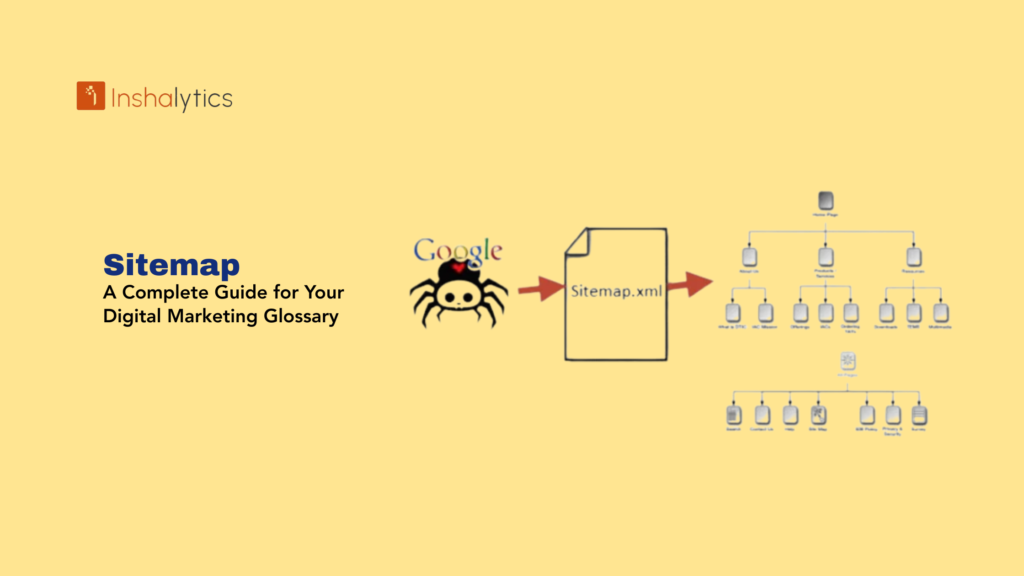
A sitemap is a file that lists all the important pages of a website, helping search engines like Google, Bing, and Yahoo discover, crawl, and index your content more efficiently. It acts like a roadmap or blueprint for your website, ensuring that search engines understand your site’s structure and can easily access the pages you want to appear in search results.
Whether you’re running a new website, managing a complex platform, or optimizing a growing online business, having a well-organized sitemap is one of the fundamental steps in improving your search visibility, crawl efficiency, and overall SEO performance.
In this glossary entry, we’ll break down everything you need to know about sitemaps, why they matter, the different types, how they work, and best practices to optimize them for both search engines and modern AI-driven systems.
Navigate This Post
What Is a Sitemap?
A sitemap is a structured file usually in XML format that lists the URLs of all important pages on your website. It provides additional information such as:
- When a page was last updated
- How often it changes
- The importance of the page relative to others
- Media files like images or videos
- Alternate language versions
Search engines use sitemaps to understand your website’s hierarchy and ensure that all key content is properly crawled and indexed.
In Simple Words
A sitemap is like handing Google a neatly organized table of contents for your entire website.
Why Are Sitemaps Important for SEO?
Search engines discover content through crawling, but even Google doesn’t always find every page on its own—especially if your website has:
- Deep navigation
- Poor internal linking
- New or updated pages
- Dynamic or user-generated content
- Large collections of media
A sitemap ensures nothing important gets missed.
Key SEO Benefits of a Sitemap
1. Faster Indexing of New Pages
Whenever you launch new content—blogs, products, landing pages—your sitemap helps search engines find them more quickly.
2. Better Crawl Efficiency
Search engines have a limited crawl budget.
A sitemap helps them prioritize the pages that actually matter.
3. Essential for Large or Complex Websites
E-commerce sites, news websites, and enterprise platforms rely heavily on sitemaps to manage thousands of URLs.
4. Helps Recover from Indexing Issues
If your site has crawling errors, gaps in internal linking, or structure problems, a sitemap acts as a safety net.
5. Supports Rich Media & Multilingual SEO
Sitemaps allow you to specify:
- Videos
- Images
- News articles
- hreflang variations
This boosts visibility in image search, video search, and international rankings.
Types of Sitemaps
There are multiple types of sitemaps, each with a unique purpose. Understanding them helps you use the right format for your website.
1. XML Sitemap (Most Common)
An XML sitemap is designed specifically for search engines.
It includes important metadata and follows a structured format.
This is the primary sitemap used for SEO.
2. HTML Sitemap
An HTML sitemap is created for users, not search engines.
It provides an easy-to-navigate list of your website’s key pages.
While not essential for SEO, it helps with user experience and accessibility.
3. Image Sitemap
If you run a website rich in visuals—photography, e-commerce, graphics—it helps Google discover and index your images.
4. Video Sitemap
A video sitemap provides details like:
- Video title
- Category
- Duration
- Description
This improves visibility in video search results.
5. News Sitemap
For publishers approved for Google News, a news sitemap helps Google quickly index your latest articles—usually within minutes.
How Search Engines Use a Sitemap
Search engines follow a simple process:
1. Crawl the Sitemap
Google reads your sitemap to understand what URLs exist.
2. Evaluate the URLs
It checks metadata like:
- lastmod (last modified date)
- changefreq
- priority
3. Decide What to Index
Not all pages listed in a sitemap are automatically indexed, but the sitemap improves the chances significantly.
4. Maintain Search Accuracy
Sitemaps help search engines stay updated when:
- Content changes
- Pages are removed
- URLs redirect
- New content is added
This keeps your site’s presence fresh and accurate in search results.
What Should Be Included in Your Sitemap?
Your sitemap should only include indexable, value-rich, canonical URLs.
Here’s what you should include:
- Important landing pages
- Blog posts
- Service or product pages
- Category pages
- Key informational pages
- Media files that support SEO
- Multilingual versions
Pages to Exclude
Do not include:
- Duplicate pages
- Parameter-based URLs
- Admin or login pages
- Paginated content
- URLs with noindex tags
- Thin or low-value pages
A clean sitemap improves crawl quality.
Best Practices for Optimizing Your Sitemap
1. Keep It Updated Automatically
Use your CMS or plugins to automatically refresh your sitemap.
2. Submit It to Google Search Console
This helps Google read it directly and gives you indexing insights.
3. Split Large Sitemaps
Each sitemap should contain no more than 50,000 URLs.
Large sites should use a sitemap index.
4. Ensure All Links Are 200 Status
Your sitemap should not contain:
- 404 pages
- Redirects
- 500 errors
5. Use Absolute URLs
Always include the full URL (with https).
6. Add “lastmod” Values
Helps Google detect fresh updates.
7. Keep It Lightweight
No unnecessary information or irrelevant URLs.
How to Create a Sitemap
You can create a sitemap using:
CMS Plugins
- Yoast SEO
- Rank Math
- All-in-One SEO
- Shopify built-in sitemap
- Wix automatically generated sitemap
Online Sitemap Generators
Useful for non-CMS websites.
Technical Methods
Developers can build custom sitemaps for large or dynamic platforms.
Where to Place Your Sitemap
Your sitemap should ideally be located at:
/sitemap.xml
Example:
This makes it easy for search engines to find.
How to Submit Your Sitemap to Google
- Go to Google Search Console
- Select your property
- Open the “Sitemaps” menu
- Enter your sitemap URL
- Click Submit
Google will then:
- Read your sitemap
- Check for errors
- Begin crawling your URLs
Common Sitemap Mistakes to Avoid
1. Including Non-Canonical URLs
This confuses search engines and causes duplicate indexing.
2. Listing Redirected Pages
Sitemaps must contain only live pages.
3. Not Updating After Site Changes
If your sitemap is outdated, your indexing will suffer.
4. Having Too Many Sitemaps Without a Sitemap Index
Large websites should use a clean structure.
5. Mixing Different Content Types in One File
Keep image, video, and news sitemaps separate.
The Role of Sitemaps in LLM Optimization
Modern AI-powered search tools and large language models depend on structured, well-organized information.
A clean sitemap helps:
- AI systems better understand your website
- Content appear accurately in AI summaries
- Models retrieve your information more reliably
- Improve visibility in semantic search systems
A sitemap is no longer just for Google—it supports future-proof indexing.
Conclusion
A sitemap is one of the most essential elements of technical SEO. It gives search engines a clear map of your website, helping them crawl and index your content efficiently. Whether you’re running a small business website or managing a large enterprise platform, having a well-optimized sitemap improves discoverability, supports SEO growth, and enhances your presence in modern AI-driven search systems.
By keeping your sitemap clean, updated, and properly structured, you ensure that both search engines and AI tools understand your website exactly the way you want them to.







