Every empty appointment slot costs your business real money. For a dental practice, that’s $200-300 per hour of lost production. For restaurants during peak hours, it’s the missed covers that won’t come back. For medical clinics, it’s revenue walking out the door while patients who need care wait weeks for openings.
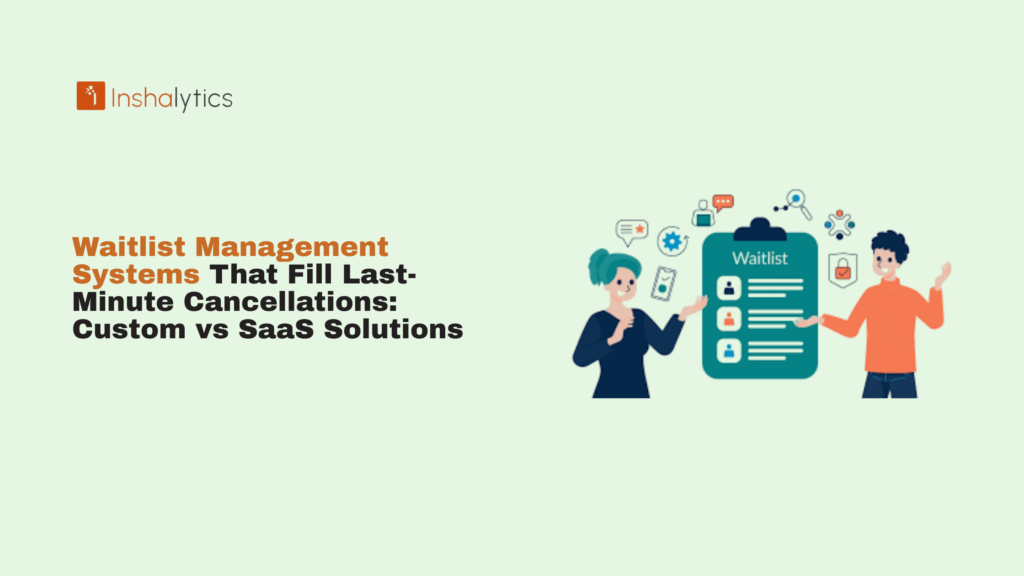
Waitlist management systems automate the process of filling last-minute cancellations by instantly notifying patients or clients who want earlier appointments. The question isn’t whether you need this technology it’s whether you should rent it from a SaaS provider or build a custom solution you actually own.
This article breaks down how waitlist systems work, exposes the hidden costs of popular SaaS platforms, and shows you when custom development delivers better ROI. You’ll discover why businesses are ditching monthly subscription fees for one-time investments that give them complete control.
Navigate This Post
How Do Waitlist Management Systems Fill Last-Minute Cancellations?
Waitlist management systems automatically notify pre-qualified patients or clients when appointment slots become available due to cancellations. These systems monitor your calendar in real-time, identify openings, and immediately contact people who’ve expressed interest in earlier appointments without requiring staff to make phone calls or manually track availability.
The automation happens through integrated workflows that connect your practice management software, communication channels, and patient preferences into a seamless system.
Automated Patient/Client Notification Workflows
When someone cancels, the system instantly queries your waitlist database for matches. It considers factors like appointment type, preferred provider, location, and time-of-day preferences. Within seconds, eligible candidates receive SMS or email notifications asking if they want the opening.
The first person to accept gets the slot. The system updates your calendar automatically and sends confirmation to both the patient and your staff. No phone tag. No manual coordination. No opportunity for the slot to sit empty while staff handles other priorities.
Modern systems can even send notifications in waves starting with your highest-priority patients and expanding to broader criteria if no one accepts within 5-10 minutes.
Real-Time Calendar Integration and Availability Tracking
The effectiveness of any waitlist system depends on accurate, real-time calendar visibility. Basic solutions check availability every 15-30 minutes, creating windows where double-bookings can occur, or slots go unfilled. Enterprise-grade systems maintain continuous bidirectional sync with your practice management software.
When your front desk books an appointment, the waitlist system knows immediately. When the system fills a cancellation, your calendar reflects it instantly. This prevents the nightmare scenario where two patients show up for the same slot because the systems weren’t truly synchronized.
SMS and Email Alert Systems That Drive Immediate Action
Speed matters when filling same-day or next-day cancellations. Email open rates average 20-30% within the first hour. SMS open rates hit 90% within three minutes.
The best waitlist systems prioritize SMS for urgent fills (cancellations within 24-48 hours) and use email for advance notice of upcoming availability. Patients receive direct booking links that let them claim slots with one click no need to call the office or navigate complex scheduling portals.
First-Come, First-Served vs. Priority-Based Filling Logic
Your waitlist strategy should match your business model. First-come, first-served works well for high-volume practices where appointment availability matters more than patient segmentation. The system simply notifies everyone who matches the criteria and gives the slot to the fastest responder.
Priority-based systems add sophistication. You can rank patients by relationship value, treatment urgency, or business rules you define. VIP patients get notified first. Patients with urgent clinical needs jump the queue. High-revenue procedures take precedence over routine appointments.
Custom solutions let you build logic that reflects how you actually run your business rather than adapting to what a SaaS platform allows.
Why Last-Minute Cancellations Cost Your Business More Than You Think
The visible cost of an empty appointment slot is straightforward you didn’t generate the revenue you expected. The invisible costs compound over time and erode profitability in ways most businesses don’t track.
Revenue Loss Calculator: The True Cost Per Empty Appointment Slot
Start with the obvious math. A dental hygiene appointment generates $150-200. A specialist consultation costs $250-400. An hour of attorney time costs $300-500. Multiply your average appointment value by your cancellation rate, and the annual impact becomes clear.
A dental practice with 40 patient appointments per day and a 5% same-day cancellation rate loses two appointments daily. At $200 per appointment, that’s $400 per day, $2,000 per week, or $104,000 per year in lost production.
But wait there’s more. Those calculations assume you fill in zero of those cancellations. Most practices fill 10-20% through manual efforts (calling patients from a list). A proper waitlist system fills 40-60% of cancellations automatically.
How Unfilled Appointments Impact Staff Productivity and Morale
Empty chairs create downtime that kills productivity. Dental hygienists who expect 8 patients but see 6 lose momentum. Medical assistants prepare rooms that go unused. Restaurant servers assigned to sections that never fill feel like they’re wasting time.
This downtime doesn’t translate to useful work it’s fragmented 30-minute gaps that appear without warning. Staff can’t start substantive projects because they need to remain available for walk-ins or the next scheduled patient.
The morale impact is worse. High-performing team members want to stay busy and productive. Chronic gaps in the schedule signal poor management and create frustration. When staff see the same preventable problem month after month, they disengage.
The Ripple Effect on Patient/Client Satisfaction and Retention
Patients are waiting weeks for appointments, while observing empty slots in your schedule, notice the inefficiency. They see cancellation openings going unfilled and wonder why they weren’t contacted. This perception of disorganization damages trust.
Meanwhile, patients who canceled and need to reschedule may seek care elsewhere if you can’t accommodate them quickly. Every delay is an opportunity for them to find another provider who can fit them in sooner.
A responsive waitlist system creates positive experiences. Patients receive helpful texts offering earlier appointments. They feel prioritized when you reach out proactively. These touchpoints reinforce that you value their time and want to serve them efficiently.
SaaS Waitlist Management Platforms: Features, Limitations, and Hidden Costs
The market offers dozens of SaaS platforms promising to solve your cancellation problem. They share similar features, comparable pricing models, and nearly identical limitations that become apparent only after you’re locked in.
Common SaaS Platforms: Doctible, NexHealth, Waitwhile, and NextMe
Doctible’s EasyFill targets dental and medical practices with integrated appointment reminders and waitlist management. It syncs with major practice management systems and automatically texts patients when openings arise. Pricing starts around $199/month for Gold packages.
NexHealth Waitlist emphasizes real-time calendar sync and one-click patient acceptance. The platform integrates with 20+ EHR and practice management systems. The actual cost remains opaque they require demos and custom quotes, a red flag for price variability.
Waitwhile serves restaurants, retail, and service businesses with customizable waitlist flows and analytics. Plans range from $49/month for basic features to $249/month for multi-location support.
NextMe positions itself as a virtual waiting room for healthcare providers and urgent care. They advertise “significant cost savings,” but pricing follows the typical SaaS playbook contacting sales for quotes means costs scale with your usage.
Monthly Subscription Costs and Per-Feature Pricing Models
Advertised starting prices rarely reflect what you’ll actually pay. Here’s how SaaS pricing typically scales:
- Base subscription: $129-299/month for core features
- Per-location fees: $50-100/month for each additional office
- User-based charges: $10-25/month per staff member who needs access
- Communication costs: $0.01-0.04 per SMS sent (adds $50-200/month for active practices)
- Advanced features: $50-150/month for analytics, priority support, or API access
- Integration fees: One-time $500-2,000 setup costs for connecting your existing systems
A three-location dental practice with 12 staff members and 200 waitlist notifications per month easily reaches $600-800/month in total costs $7,200-9,600 annually.
Integration Limitations and Vendor Lock-In Concerns
SaaS platforms advertise “seamless integrations” with practice management software, but the reality is more complex. They integrate with popular systems (Dentrix, Open Dental, Epic, Athena) through standard APIs. If you use a less common PMS or a customized system, you’re out of luck.
Integration depth varies. Some platforms only read calendar data they can’t write appointments back to your PMS, forcing staff to manually confirm bookings. Others create conflicts when your front desk books appointments while the waitlist system is processing a cancellation.
And here’s the vendor lock-in trap: all your waitlist data, patient preferences, and historical analytics live in the SaaS provider’s database. If you want to switch platforms or bring the functionality in-house, you can’t easily export this valuable information.
What Happens When You Outgrow Your SaaS Provider’s Feature Set
Your business evolves. You add services, expand locations, develop sophisticated booking rules, or merge with other practices. SaaS platforms aren’t built for your specific growth trajectory they’re built for the broadest possible market.
When you need features they don’t offer, you have three bad options:
- Wait and hope they add it to the roadmap (spoiler: they won’t prioritize your specific need)
- Work around the limitation by buying another tool, creating integration headaches
- Switch providers and start over, losing historical data and staff training investment
Custom solutions grow with you because you control the roadmap.
What Are the Limitations of Off-the-Shelf Waitlist Software?
Generic solutions force your unique business into their standardized boxes. The friction shows up in daily workflows, staff frustration, and missed opportunities that cookie-cutter systems can’t address.
Cookie-Cutter Features That Don’t Match Your Workflow
SaaS platforms are designed for the average use case across thousands of customers. Your dental practice has specific protocols for filling emergency slots versus routine hygiene appointments. Your restaurant differentiates between bar seating, patio tables, and the main dining room. Your medical clinic prioritizes established patients over new ones for same-day appointments.
Off-the-shelf systems give you configurable options within their predefined framework. You can’t fundamentally change how the system prioritizes waitlist notifications, how it handles complex scheduling rules, or how it interacts with patients who have specific preferences.
The result? Staff develop workarounds. They manually override the system, maintain shadow spreadsheets, or simply stop using features that don’t fit. You’re paying for automation that becomes semi-manual because the platform can’t adapt to your reality.
Data Ownership Restrictions and Export Limitations
Read the fine print on any SaaS agreement. You license the use of their software, but they own the platform and retain significant control over your data. Most platforms allow exports of basic information patient names, contact details, appointment history but not the accumulated intelligence.
You can’t export the machine learning models that understand your cancellation patterns. You can’t extract the relationship mapping between patient preferences and successful fill rates. You can’t access the detailed analytics that explain why certain notification strategies work better at your practice.
If you cancel the service, you get a CSV file with basic data and lose everything else. Years of optimized workflows, customized logic, and accumulated business intelligence vanish.
Lack of Industry-Specific Customization (Dental vs. Medical vs. Restaurants)
A dental practice needs to track provider-specific availability (hygienists vs. dentists), procedure types (cleanings vs. crowns), and operatory availability. A medical clinic manages provider specialties, patient acuity levels, and insurance verification requirements. A restaurant coordinates table sizes, seating sections, and server assignments.
SaaS platforms build horizontal solutions that work “well enough” across industries. They can’t deeply understand the nuances of your specific vertical because their business model requires serving many markets with one codebase.
Custom solutions embed industry knowledge directly into the logic. A dental-focused waitlist system understands operatory scheduling. A restaurant system manages table turn times and reservation blocks. A medical system handles clinical urgency protocols.
Ongoing Costs That Accumulate: The 3-Year TCO Analysis
Let’s run the real numbers on the total cost of ownership:
SaaS Platform (3-year commitment):
- Monthly subscription: $399/month × 36 months = $14,364
- SMS/communication fees: $125/month × 36 months = $4,500
- Setup and integration: $1,500 (one-time)
- Annual price increases (typical 5-8%): $1,200
- Additional features added: $75/month × 24 months = $1,800
- Total 3-year cost: $23,364
Custom Development:
- Discovery and requirements: $1,200
- Development and integration: $4,800
- Testing and deployment: $800
- First-year support: $600
- Years 2-3 maintenance (optional): $1,200
- Total 3-year cost: $8,600
The custom solution costs 63% less over three years while giving you complete ownership and unlimited scalability.
Custom Waitlist Management Solutions: Built for Your Business, Owned by You
Custom development means the system works exactly how your business operates rather than forcing you to adapt to someone else’s vision. You control the features, own the data, and never pay rent on your own business infrastructure.
Tailored Workflow Automation That Matches Your Exact Process
Your front desk follows specific protocols when cancellations occur. Maybe you check for patients who requested that provider first, then expand to patients with flexible schedules, then notify anyone on the general waitlist. Maybe you have different rules for same-day cancellations versus appointments more than a week out.
Custom systems codify your actual best practices. The development process starts by documenting exactly how you want cancellations handled in various scenarios. Then the system automates those workflows without compromise.
A multi-location dental group might prioritize filling specialist appointments (higher revenue) before general dentistry. They might give established patients a 4-hour window to respond before opening slots to new patient waitlists. They might automatically offer 10% discounts for same-day emergency fills.
None of these sophisticated rules exist in generic SaaS platforms. Custom development makes it standard operating procedure.
Complete Data Ownership and Unlimited Export Capabilities
Every interaction in your custom system writes to a database you control. Patient preferences, notification history, acceptance rates, optimal outreach timing all of it lives in your infrastructure. You can query this data anytime, export it in any format, and analyze it with your preferred business intelligence tools.
This ownership becomes valuable in unexpected ways. You might discover that patients contacted between 10 AM and 2 PM accept waitlist offers 40% more often than evening notifications. That insight lets you hold off on sending alerts until the high-response window.
With SaaS platforms, you get whatever reports they built. With custom systems, you get whatever questions you want answered.
Scalability Without Subscription Tier Limitations
SaaS platforms throttle your growth with tier-based pricing. Want to add a fourth location? Upgrade to the enterprise plan. Need to send more than 500 notifications per month? Pay for the professional tier. Growing from 15 to 25 staff members? That’s five additional user licenses.
Custom systems scale linearly with your actual infrastructure costs essentially, the minimal expense of server resources and SMS delivery fees. Adding locations doesn’t trigger subscription jumps. Growing your patient base doesn’t force plan upgrades. Increasing notification volume costs only the actual communication fees (typically $0.01-0.02 per SMS when you contract directly with providers).
A practice that grows from 500 to 2,000 appointments per month sees SaaS costs double or triple. Custom system costs remain nearly flat.
One-Time Development Investment vs. Perpetual SaaS Fees
View custom development as a capital investment in business infrastructure, similar to buying equipment or renovating your office. You pay upfront costs but own the asset. Calculate ROI based on the ongoing value it provides without recurring fees.
A typical custom waitlist management system for a small practice costs $4,000-6,000 to develop and deploy. For larger practices with complex needs, $8,000-12,000. Compare this to $300-500/month in SaaS fees that continue forever.
The breakeven point typically hits within 12-18 months. After that, you’re realizing pure savings while SaaS subscribers keep paying.
Custom vs. SaaS Waitlist Systems: Side-by-Side Comparison
Understanding the real differences requires looking beyond marketing claims to how these solutions perform over time and what they actually cost in total.
Upfront Cost vs. Long-Term Value Analysis
| Factor | SaaS Platform | Custom Solution |
| Year 1 Cost | $4,800-7,200 | $6,000-8,000 |
| Year 3 Total | $14,400-21,600 | $6,500-9,000 |
| Year 5 Total | $24,000-36,000 | $7,500-11,000 |
| Cost to Exit | Lose all data/logic | None – you own it |
| Ownership | Licensed use only | Complete ownership |
SaaS appears cheaper initially only if you ignore years 2-5 and beyond. Custom solutions cost less after the first 12-18 months and continue saving money indefinitely.
Customization Capabilities and Future Flexibility
SaaS Customization Options:
- Toggle features on/off within predefined modules
- Configure notification templates with limited variables
- Set basic rules using dropdown menus and checkboxes
- Request feature additions (wait 6-18 months if they agree)
Custom Solution Flexibility:
- Build any workflow logic your business requires
- Create sophisticated multi-step prioritization algorithms
- Integrate with any system through custom APIs
- Add features whenever you want them
When your needs evolve, custom solutions adapt. SaaS platforms either accommodate you (if you’re lucky) or force you to adapt to their constraints.
Integration Options with Existing Practice Management Software
SaaS platforms integrate with popular systems through standard APIs. If your practice uses Dentrix, Open Dental, Epic, Cerner, or other major platforms, you’re probably covered. If you use niche software, proprietary systems, or heavily customized installations, integration may not exist.
Custom development creates bespoke integrations tailored to your specific technology stack. The system reads and writes data exactly how your PMS expects it, handling edge cases and customizations that generic connectors miss.
Support Models: Dedicated Development Partner vs. Ticket-Based Support
SaaS Support:
- Submit tickets through their portal
- Wait 24-48 hours (or longer) for responses
- Escalate through support tiers if the issue is complex
- Live with limitations if your need isn’t on their roadmap
- Pray they don’t deprecate features you depend on
Custom Development Partner:
- Direct access to the team that built your system
- Rapid response because you’re not ticket #47,293
- Modifications happen when you need them, not if/when the vendor prioritizes them
- No artificial restrictions on what’s possible
When something breaks at 4 PM on Friday, and you have a full schedule Monday morning, the difference between “submit a ticket” and “call your developer” is massive.
Real-World Use Cases: When Custom Waitlist Solutions Outperform SaaS
The gap between generic tools and custom solutions becomes obvious when you examine businesses with specific requirements that cookie-cutter platforms can’t handle.
Multi-Location Dental Practices with Complex Scheduling Rules
A three-location dental group in suburban Chicago needed waitlist management that understood their business model. Each location had different specialties available. They cross-scheduled specialists across locations on specific days. They offered concierge services to high-value patients that included guaranteed 24-hour emergency access.
SaaS platforms couldn’t handle the logic: “If Dr. Chen cancels an endo appointment at the Lincoln Park location, first check for waitlist patients who’ve been referred by their general dentist at any location, then check established endo patients, then offer to any patient willing to travel to the Highland Park location where Dr. Chen will be tomorrow.”
Their custom system implements exactly this logic, plus dynamic pricing for same-day fills and automated coordination with their billing system for insurance pre-verification. Total development cost: $9,200. Annual SaaS quotes for comparable functionality (cobbled together from multiple vendors): $18,000+.
Medical Clinics Requiring HIPAA-Compliant Custom Workflows
A family medicine clinic with three physicians serves a patient population with complex needs. They track clinical urgency levels, medication refill requirements, and chronic disease management protocols that influence appointment prioritization.
When a same-day appointment opens, their waitlist system doesn’t just notify anyone available. It queries patients flagged for overdue diabetes checks, those needing urgent hypertension follow-ups, and those with acute symptoms reported through their patient portal. The system respects HIPAA requirements by keeping all data on its private servers rather than in a third-party cloud.
Building this level of sophistication into a HIPAA-compliant custom solution cost $11,500. SaaS platforms that offer comparable medical-grade security and decision logic quoted $600-800/month $7,200-9,600 annually forever.
High-Volume Restaurants with Peak-Hour Demand Management
An upscale restaurant in Seattle handles 300+ covers on weekend nights with complex seating dynamics. They balance bar seating, booths, patio tables (weather dependent), and chef’s counter reservations. Different sections have different turn times. VIP guests and regulars get preferential treatment.
Their custom waitlist system integrates real-time table management with predictive analytics. When a 6 PM reservation cancels at 4 PM, the system knows that booth 12 typically turns in 90 minutes, estimates when it will actually be available, and notifies waitlist guests who prefer booths with accurate timing.
They built in dynamic surge pricing for peak hours and integrated loyalty program status into notification priority. Development cost: $7,800. Comparable SaaS solutions with restaurant-specific features: $250-400/month ($3,000-4,800 annually).
Service Businesses with Unique Cancellation Policies and Priority Systems
A personal injury law firm handles consultations on a priority basis, driven by case type, injury severity, and statute of limitations urgency. When an attorney’s consultation slot opens, the system needs to understand which prospective clients should be notified first based on legal deadlines and case value.
Their custom waitlist system integrates with their case management software, tracks days until statute of limitations expiration, and prioritizes outreach based on urgency rather than simple first-come, first-served. It automatically drafts engagement letters for clients who accept consultations and triggers their marketing automation for follow-up sequences.
This level of legal-specific workflow automation doesn’t exist in generic SaaS platforms. Custom development cost: $8,500. Attempting to recreate this with multiple SaaS tools plus manual coordination: ongoing chaos and dropped opportunities.
How Inshalytics Builds Custom Waitlist Management Solutions at a Fraction of SaaS Costs
We’ve built waitlist systems for dental practices, medical clinics, restaurants, salons, and professional services firms. Our process turns your specific operational needs into automated workflows that fill cancellations without ongoing subscription fees.
Discovery and Workflow Analysis: Understanding Your Cancellation Patterns
Every engagement starts with understanding your unique situation. We spend time learning:
- What triggers cancellations in your business (illness, weather, schedule conflicts)?
- How do you currently handle filling openings (phone calls, manual lists, no process)?
- What rules should govern who gets notified first (patient status, appointment type, revenue value)?
- What systems need to be integrated (practice management software, calendar tools, communication platforms)?
- What metrics matter most (fill rate percentage, response time, staff time saved)?
This discovery process typically requires 2-3 sessions totaling 3-4 hours. We document your workflows, identify automation opportunities, and map dependencies between systems.
The output is a detailed specification document that describes exactly what your custom waitlist system will do and how it will work. You review and approve this before any development begins.
Custom Development Process: From Requirements to Launch in 4-6 Weeks
With approved requirements, development follows a structured timeline:
Week 1-2: Core System Development
- Database design for waitlist storage and patient preferences
- Calendar integration with your practice management software
- Notification engine for SMS and email alerts
- Admin dashboard for managing waitlist and viewing analytics
Week 3-4: Workflow Logic and Automation
- Priority algorithms based on your specific business rules
- Automated notification sequencing and escalation
- Booking confirmation and calendar sync workflows
- Error handling and edge case management
Week 5: Testing and Refinement
- Simulated cancellation scenarios to verify logic
- Integration testing with your actual systems
- Staff training and feedback incorporation
- Performance optimization for response speed
Week 6: Deployment and Monitoring
- Production deployment to your infrastructure
- Staff onboarding and process documentation
- First-week monitoring to catch any unexpected issues
- Handoff to ongoing support
You’re filling cancellations automatically within 4-6 weeks from project start.
Seamless Integration with Your Existing Systems (PMS, EMR, POS)
Integration complexity varies based on your current technology. Most practice management systems (Dentrix, Open Dental, Eaglesoft) provide APIs for reading calendar data and writing appointments. We build authenticated connections that respect their data models and security requirements.
For systems without APIs, we create alternative integration paths:
- Screen scraping for legacy software that lacks modern interfaces
- Database-level integration when you control the infrastructure
- File-based synchronization for systems that export/import CSV or XML
- Manual entry points where full automation isn’t possible
The goal is always maximum automation with minimum disruption to your existing workflows. You shouldn’t need to change practice management software to get an effective waitlist system.
Ongoing Support and Feature Expansion Without Subscription Fees
After deployment, you own the system. You can maintain it yourself, have your IT team manage it, or retain Inshalytics for ongoing support. Our typical support arrangements include:
Included in Development:
- 30-day bug fix guarantee
- Staff training and documentation
- Emergency support for critical issues
Optional Ongoing Support ($500/month or less):
- Priority response for questions or issues
- Monthly feature enhancements based on your evolving needs
- Monitoring and proactive maintenance
- Annual security updates and dependency patches
Unlike SaaS subscriptions, where you’re paying for access to their system, our support covers actual work on your behalf. If nothing needs attention in a given month, there’s nothing to pay. Many clients opt for quarterly check-ins at $150-200 per session rather than ongoing monthly retainers.
And because you own the code, you can always take it to another developer if your needs change. No vendor lock-in. Not held hostage to price increases. Complete freedom.
Which Waitlist Management Approach is Right for Your Business?
The decision between SaaS and custom development depends on your specific circumstances, growth trajectory, and how you value ownership versus convenience.
When SaaS Solutions Make Sense: Simple Needs and Quick Setup
Choose a SaaS platform if:
You have standard, uncomplicated requirements that match what off-the-shelf tools offer. Single-location practices with straightforward scheduling, no special prioritization needs, and common practice management software benefit from plug-and-play solutions.
You need something operational this week without any technical complexity. SaaS platforms deploy in hours or days, not weeks. If you’re hemorrhaging revenue from unfilled cancellations and can’t wait 4-6 weeks for custom development, immediate relief matters more than long-term cost.
You have a minimal budget for upfront investment. Stretching $300/month over 12 months is easier than finding $6,000 today, even if the math favors custom development in the long run. Cash flow constraints are real.
You’re testing waitlist management as a concept and aren’t sure if automation will work for your business. A 3-month SaaS trial at $400 total cost lets you validate demand before committing to custom development.
You lack technical resources or IT support. If you have no one who can troubleshoot technical issues or manage hosting, SaaS platforms handle all infrastructure management for you.
When Custom Solutions Win: Growth-Focused Businesses That Value Ownership
Choose custom development if:
You’re playing the long game. If you plan to operate this business for 5+ years, ownership economics favor custom solutions dramatically. The 3-year breakeven point leads to decades of savings.
Your workflow has unique complexity that generic tools can’t accommodate. Multi-location practices, specialized prioritization rules, complex integrations, or industry-specific requirements all point toward custom.
You have profitable operations that can invest $5,000-10,000 in business infrastructure. This isn’t a decision driven by immediate affordability but by strategic ROI.
You’re frustrated with SaaS limitations. If you’re already using a waitlist platform but hitting walls with customization, integration depth, or feature gaps, you’ve validated the need and identified the shortcomings custom development solves.
Data ownership and privacy matter. Healthcare providers subject to HIPAA, businesses with proprietary client information, or anyone uncomfortable with data residing in third-party systems, benefit from on-premise or privately-hosted custom solutions.
You want to build equity in your business systems. Custom software adds value to your business as an asset. If you ever sell your practice, owned technology to the new owner without ongoing fees. SaaS subscriptions are just operating expenses.
Hybrid Approach: Starting with SaaS and Migrating to Custom
You don’t have to choose permanently. Some businesses start with SaaS to validate demand and understand their needs, then migrate to custom solutions once they’ve clarified requirements.
This approach makes sense when you’re unsure about specific workflow requirements. Three to six months with a SaaS platform teaches you what features matter most, which automation saves the most time, and where off-the-shelf tools fall short. That knowledge makes the custom development process more focused and efficient.
The migration path requires planning. Export whatever data the SaaS platform allows, document the workflows you want to keep, and list the limitations you want eliminated. Your custom system becomes a better version of what you’ve been using rather than a leap into the unknown.
Ready to Stop Renting and Start Owning Your Waitlist System?
Last-minute cancellations will always happen. The question is whether you’ll keep watching revenue walk out the door or automate the process of filling those valuable slots. And once you’ve decided that automation makes sense, you have to choose between renting someone else’s solution forever or building an asset you actually own.
SaaS platforms offer convenience and quick deployment. Custom solutions deliver long-term savings, complete control, and workflows built specifically for your business. Most practices recoup custom development costs within 18 months, while SaaS subscribers keep paying indefinitely.
At Inshalytics, we build waitlist management systems that integrate with your existing practice management software, automate your specific prioritization rules, and cost less than 12-18 months of typical SaaS fees. You own the code. You control the data. You never pay rent on your own business infrastructure.
Stop letting cancellations cost you money. Schedule a free consultation to see how a custom waitlist solution can fill your schedule automatically without monthly subscription fees eating into your profits.
Your competitors are renting. You should be owning.