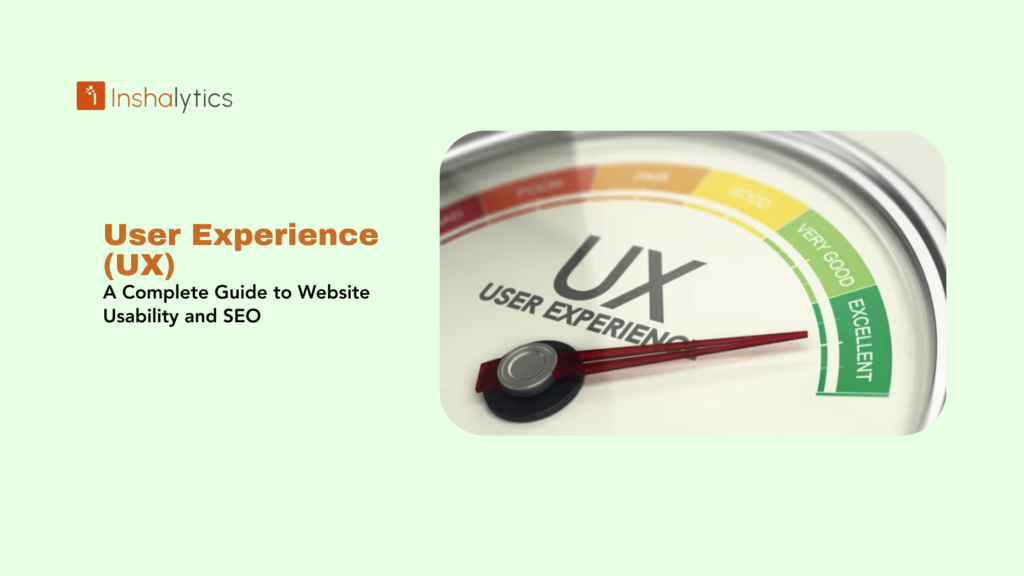
User Experience (UX) encompasses how visitors interact with, perceive, and feel about your website, including factors like ease of navigation, page load speed, mobile responsiveness, content readability, visual design, and overall satisfaction during their journey. UX represents the complete impression users form based on every interaction with your site from the moment they land on a page to when they complete a desired action or leave. In digital marketing and SEO, UX has evolved from a design consideration to a critical ranking factor, with Google’s algorithms increasingly prioritizing sites that deliver superior user experiences through metrics like Core Web Vitals, mobile-friendliness, and engagement signals.
Good UX means visitors can effortlessly find what they need, pages load instantly, navigation is intuitive, content is scannable and valuable, and the overall experience feels frictionless and enjoyable. Poor UX manifests through slow loading, confusing navigation, intrusive pop-ups, difficult-to-read text, broken functionality, and frustrating interactions that drive users away. As search engines become more sophisticated at measuring user satisfaction, the correlation between excellent UX and high search rankings has strengthened significantly.
Navigate This Post
Why UX Matters for SEO
Direct Ranking Signals
Google’s algorithms directly evaluate UX through specific metrics:
Core Web Vitals – Performance measurements affecting rankings:
- Largest Contentful Paint (LCP) – Loading speed
- Interaction to Next Paint (INP) – Responsiveness
- Cumulative Layout Shift (CLS) – Visual stability
Mobile-Friendliness – Sites must work perfectly on smartphones
HTTPS Security – Secure connections required for user trust
Safe Browsing – No malware, phishing, or security threats
Indirect Ranking Signals
User behavior metrics signal satisfaction to search engines:
Bounce Rate – High bounces suggest poor relevance or experience
Dwell Time – Longer visits indicate engaging, valuable content
Pages Per Session – Multiple page views show engaged exploration
Return Visitors – Users returning indicates satisfying experiences
Click-Through Rate – Higher CTRs from search results suggest compelling, trustworthy listings
Conversion Impact
Beyond rankings, UX directly affects business outcomes:
Improved Conversions – Better UX increases sales, signups, and leads by 200%+ in some cases
Reduced Abandonment – Good UX keeps users engaged through conversion funnels
Customer Satisfaction – Positive experiences build brand loyalty and repeat business
Lower Support Costs – Intuitive interfaces reduce confusion and support tickets
Key Elements of Website UX
1. Page Speed and Performance
Why It Matters:
- 53% of mobile users abandon sites taking over 3 seconds to load
- Each additional second of load time decreases conversions by 7%
- Speed is a confirmed Google ranking factor
Optimization Strategies:
Image Optimization
- Compress images without quality loss
- Use modern formats (WebP, AVIF)
- Implement lazy loading
- Specify dimensions to prevent layout shifts
Code Efficiency
- Minify CSS, JavaScript, and HTML
- Remove unused code and dependencies
- Defer non-critical resources
- Enable compression (Gzip or Brotli)
Server Performance
- Use quality hosting providers
- Implement content delivery networks (CDNs)
- Enable browser and server caching
- Optimize database queries
Target Metrics:
- LCP under 2.5 seconds
- INP under 200ms
- CLS under 0.1
2. Mobile Responsiveness
Why It Matters:
- 60%+ of searches occur on mobile devices
- Google uses mobile-first indexing
- Mobile users expect seamless experiences
Essential Elements:
- Fluid layouts adapting to all screen sizes
- Touch-friendly buttons (44×44 pixels minimum)
- Readable text without zooming (16px minimum)
- No horizontal scrolling required
Mobile-Optimized Navigation
- Hamburger menus for complex navigation
- Sticky headers for easy access
- Large, tappable menu items
- Search functionality prominently placed
Mobile Performance
- Optimized for slower mobile connections
- Reduced file sizes and requests
- Progressive loading techniques
- Minimal pop-ups and interstitials
3. Intuitive Navigation
Why It Matters:
- Users should find information within 3 clicks
- Clear navigation reduces frustration and abandonment
- Logical structure helps search engines understand site hierarchy
Best Practices:
Clear Menu Structure
- Descriptive labels users understand
- Logical category grouping
- Limited top-level items (5-7 maximum)
- Consistent placement across pages
Breadcrumb Navigation
- Shows users their location in site hierarchy
- Enables easy backtracking
- Helps search engines understand structure
Internal Search
- Prominently placed search bar
- Autocomplete suggestions
- Relevant search results
- Filters for refinement
Visual Hierarchy
- Important elements prominently placed
- Clear visual distinction between sections
- Strategic use of white space
- Consistent layout patterns
4. Readable, Scannable Content
Why It Matters:
- Users scan rather than read word-by-word
- 79% of users scan pages for information
- Readability affects time on page and engagement
Readability Techniques:
Typography
- Font size 16-18px for body text
- High contrast (dark text on light backgrounds)
- Sufficient line spacing (1.5-1.6 line height)
- Readable font choices (avoid decorative fonts)
- Short line lengths (50-75 characters)
Content Structure
- Descriptive headings and subheadings
- Short paragraphs (3-4 sentences maximum)
- Bullet points and numbered lists
- Bold key phrases (not entire sentences)
- White space between sections
Visual Elements
- Images supporting content understanding
- Infographics simplifying complex information
- Videos for demonstrations or explanations
- Charts and graphs for data visualization
5. Clear Calls-to-Action (CTAs)
Why It Matters:
- Guide users toward desired actions
- Improve conversion rates
- Reduce decision paralysis
Effective CTA Design:
Visibility
- Contrasting colors that stand out
- Prominent placement above fold
- Adequate size (easily clickable)
- Strategic positioning throughout page
Clarity
- Action-oriented language (“Get Started,” “Download Now”)
- Specific, not generic (“Start Free Trial” vs. “Click Here”)
- Value-focused messaging
- Single clear primary CTA per section
Design
- Button-like appearance (obviously clickable)
- Hover effects showing interactivity
- Adequate padding around text
- Consistent styling across site
6. Trust and Credibility Signals
Why It Matters:
- Users won’t convert without trust
- Security concerns prevent purchases
- Credibility affects perception and rankings
Trust Elements:
Security Indicators
- HTTPS with visible padlock icon
- Trust badges (SSL, payment security)
- Privacy policy easily accessible
- Secure payment processing
Social Proof
- Customer testimonials and reviews
- Case studies with real results
- Client logos (for B2B)
- User ratings and review counts
- Media mentions and awards
Professional Design
- Modern, clean visual design
- Professional photography
- Error-free content
- Consistent branding
- Contact information visible
Transparency
- Clear about page with team information
- Real photos of team members
- Physical address and phone number
- Transparent pricing and policies
- No hidden fees or surprise charges
7. Minimal Intrusive Elements
Why It Matters:
- Pop-ups and intrusive ads frustrate users
- Google penalizes intrusive interstitials on mobile
- Interruptions increase bounce rates
Best Practices:
Pop-ups
- Delay appearance (5-10 seconds minimum)
- Easy to close (visible X button)
- Provide value (not just marketing)
- Don’t cover content completely
- Avoid on mobile (especially)
Advertising
- Balance monetization with experience
- Avoid above-fold ad overload
- No auto-playing video/audio
- Distinguish ads from content
- No deceptive ad placement
Notifications
- Don’t request permissions immediately
- Explain value before requesting
- Respect user preferences
- Easy opt-out options
Measuring UX Performance
Core Web Vitals Monitoring
Tools:
- Google PageSpeed Insights
- Google Search Console (Core Web Vitals report)
- Chrome User Experience Report
- Lighthouse (Chrome DevTools)
Action Steps:
- Monitor monthly for changes
- Prioritize issues by impact
- Test on real devices
- Track improvements over time
User Behavior Analytics
Google Analytics Metrics:
Bounce Rate – Percentage leaving after one page
- Target: Under 50% for most sites
- High rates signal relevance or UX issues
Average Session Duration – Time spent on site
- Target: 2-3+ minutes
- Longer indicates engaging content
Pages Per Session – Depth of engagement
- Target: 3+ pages
- More pages show successful navigation
Conversion Rate – Goal completion percentage
- Varies by industry and goal type
- Track trends and improvements
Heatmaps and Session Recordings
Tools:
- Hotjar
- Crazy Egg
- Microsoft Clarity (free)
- Mouseflow
Insights:
- Where users click most frequently
- How far users scroll down pages
- Which elements attract attention
- Where users get confused or stuck
- Mobile vs. desktop behavior differences
User Feedback
Collection Methods:
Surveys
- Post-purchase feedback
- Exit-intent surveys
- Net Promoter Score (NPS)
- Specific feature feedback
User Testing
- Watch real users navigate your site
- Identify pain points and confusion
- Test new features before launch
- Gather qualitative insights
Support Tickets
- Common questions indicate UX issues
- Track recurring problems
- Identify documentation gaps
Common UX Mistakes
Slow Loading Pages
Problem: Sites taking 3+ seconds lose over half of mobile visitors
Solution: Optimize images, enable caching, upgrade hosting, use CDNs
Confusing Navigation
Problem: Users can’t find what they need, increasing frustration and abandonment
Solution: Simplify menu structure, add search, use clear labels, implement breadcrumbs
Non-Mobile-Friendly Design
Problem: Poor mobile experience drives away 60%+ of traffic
Solution: Implement responsive design, test on multiple devices, optimize for touch
Intrusive Pop-ups
Problem: Immediate pop-ups frustrate users and trigger Google penalties
Solution: Delay pop-ups, make them easy to close, provide genuine value, minimize on mobile
Unclear CTAs
Problem: Users don’t know what action to take next
Solution: Use action-oriented language, high-contrast colors, prominent placement, single primary CTA
Cluttered Design
Problem: Too many elements compete for attention, overwhelming users
Solution: Embrace white space, prioritize content, remove unnecessary elements, create visual hierarchy
Slow Forms
Problem: Long, complicated forms increase abandonment
Solution: Minimize required fields, use autofill, show progress indicators, save partial submissions
UX and SEO Integration
Holistic Optimization
The most successful strategies treat UX and SEO as inseparable:
Content Strategy
- Write for users first, optimize for search engines second
- Answer user questions thoroughly
- Provide genuine value, not keyword-stuffed content
Technical Implementation
- Fast loading benefits both users and rankings
- Mobile responsiveness satisfies users and Google’s mobile-first index
- Structured data improves search display and user understanding
Continuous Improvement
- Monitor both ranking changes and user behavior
- Test UX improvements for ranking impact
- Use search data to identify user needs
- Optimize based on combined SEO and UX metrics
Conclusion
User Experience has evolved from a design consideration to a fundamental SEO ranking factor and business success driver. Google’s algorithms increasingly prioritize sites delivering superior experiences through fast loading, mobile responsiveness, intuitive navigation, readable content, and overall satisfaction. The days of choosing between “design for users” or “optimize for search engines” are over—excellence in UX directly translates to better rankings, higher conversion rates, and sustainable competitive advantages.
Investing in UX improvements delivers compound returns: users stay longer, engage more deeply, convert at higher rates, and return more frequently, while search engines reward these positive signals with better visibility. Focus on Core Web Vitals optimization, mobile excellence, intuitive navigation, scannable content, clear CTAs, and trust-building elements to create experiences that satisfy both users and algorithms.
Remember that UX optimization is ongoing, not a one-time project. Continuously monitor performance metrics, gather user feedback, test improvements, and adapt to changing user expectations and search engine requirements. Sites that prioritize user experience will increasingly dominate search results as algorithms become more sophisticated at measuring satisfaction.
Key Takeaway: User Experience (UX) encompasses how visitors interact with and perceive websites, including navigation ease, page speed, mobile responsiveness, content readability, and overall satisfaction. Increasingly critical for SEO through direct ranking signals like Core Web Vitals (LCP <2.5s, INP <200ms, CLS <0.1) and indirect signals like bounce rate and dwell time, excellent UX improves search rankings while increasing conversions by 200%+, making it essential for digital marketing success in modern search algorithms that prioritize user satisfaction.