
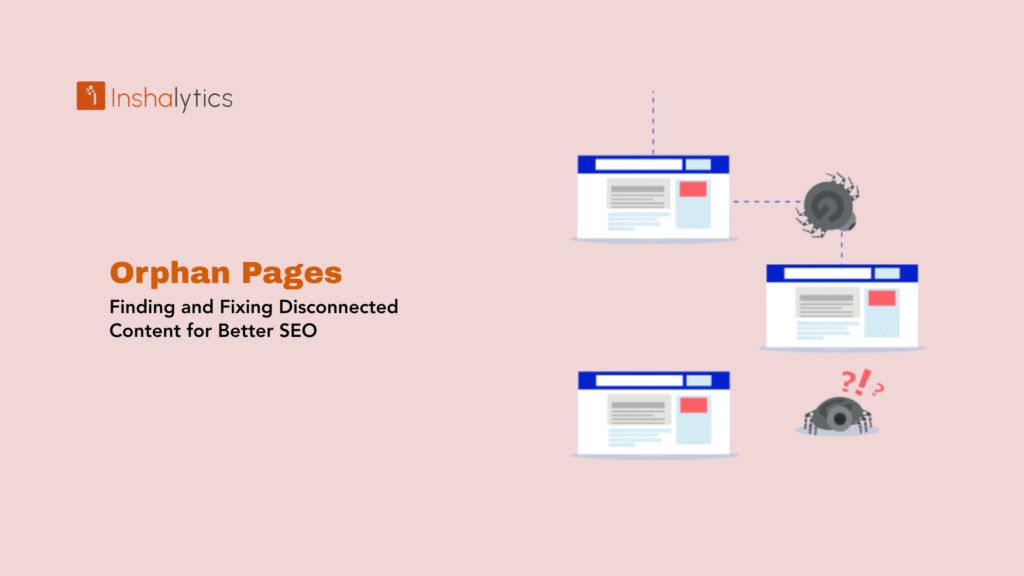
An orphan page is a webpage with no internal links pointing to it from anywhere else on your website. No nav link, no contextual link inside an article, no footer link nothing. The page exists in your CMS and possibly in your XML sitemap, but it’s completely cut off from your site’s internal link graph.
The SEO consequence is severe and underappreciated: web crawlers discover pages by following links. A page with zero incoming internal links is invisible to Googlebot unless it’s submitted via sitemap, and even then, Google treats sitemap-only pages as lower priority than pages embedded inside a linked site structure. No links in means no link equity flowing in, no contextual relevance signals, lower crawl frequency, and weaker ranking potential regardless of how good the content is.
This guide covers exactly what orphan pages are, why they kill SEO performance, how to find them using Screaming Frog, Google Search Console, and Google Analytics, and the specific fixes to apply based on page type and value.
What Is an Orphan Page in SEO?
An orphan page is a webpage that has no internal links pointing to it from other pages on the same domain. It is disconnected from the site’s link architecture entirely.
The term “orphan” is precise: the page has no parent. It isn’t linked from navigation menus, category pages, breadcrumbs, related post modules, or any contextual content. The only ways to reach it are:
- Typing the URL directly
- Clicking an external backlink (if any exist)
- Finding it through an XML sitemap submission
- Reaching it through a cached search engine result
What orphan pages are not: pages with few internal links, pages buried deep in the site hierarchy, or pages with low traffic. An orphan has zero incoming internal links. One link from anywhere on the domain removes it from orphan status.
Orphan Pages vs. Near-Orphan Pages
A near-orphan page has only one or two internal links pointing to it, typically from a category archive or an automated “related posts” widget, but nothing contextual. These pages suffer similar problems to true orphans: low crawl priority, minimal link equity transfer, and weak topical relevance signals. During an orphan page audit, flag near-orphans alongside true orphans and treat them as the same remediation priority.
Why Orphan Pages Hurt SEO
Crawl Discovery Fails
Google’s web crawler discovers content by following hyperlinks. The more internal links point to a page, the more likely Googlebot is to find it, crawl it, and crawl it frequently. A page with zero internal links is entirely dependent on sitemap submission for discovery, and sitemaps are a hint, not a directive. Google can and does deprioritize sitemap-only pages, especially on sites with large crawl budgets to manage.
Link Equity Never Arrives
PageRank flows through internal links. When your homepage or pillar pages receive external backlinks, that authority cascades through your internal link structure to other pages. An orphan page receives none of this authority flow. It could have the best content on the site and still rank weakly because no link equity ever reaches it. The internal linking strategy is the distribution system for domain authority; orphans opt out of it entirely.
Relevance Signals Are Missing
Search engines use internal link anchor text and linking context to understand what a page is about and how it relates to other content on the site. A page on HVAC maintenance tips that is linked from your main HVAC services page with the anchor text “HVAC maintenance guide” sends a strong topical relevance signal. An orphan page has no such signals; Google has to infer topic from the page itself alone, with no supporting context from the rest of the site.
Website Indexability Weakens
Even if Google indexes an orphan page initially via sitemap, the page gets crawled less frequently over time. If the content is updated or improved, Google may take much longer to re-crawl and re-evaluate the updated version compared to well-linked pages that get crawled on a regular schedule. On sites with large content libraries and tight crawl budgets, orphan pages can fall out of the crawl rotation almost entirely.
Duplicate Content and Cannibalization Risk
Orphan pages frequently cause cannibalization problems. A page that was once linked, de-indexed, then recreated can exist as a duplicate alongside the live canonical version both in Google’s index, splitting ranking signals. Since the orphan isn’t visibly linked anywhere on the site, teams often don’t realize it still exists and is still being indexed. The result: two competing pages, neither of which ranks as strongly as one consolidated page would.
Common Causes of Orphan Pages
Understanding root causes helps prevent them from recurring after fixing.
Site Migrations and Redesigns
The most common cause. During a migration, pages are restructured, menus are rebuilt, and URL slugs change. Internal links pointing to old URLs break or are removed. The new URL versions of pages are sometimes created without rebuilding the internal link connections. Every major site restructure should include a technical SEO audit within 30 days to catch orphaned pages before they lose crawl momentum.
Content Published Without Internal Links
A writer or editor publishes a new blog post or landing page without adding any links to it from existing content. The page goes live, exists in the sitemap, and starts accumulating impressions but with no internal link context, it struggles to gain ranking traction. This is a workflow failure, not a technical one: publishing checklists that don’t require internal link verification produce orphans at scale.
Navigation Changes
Removing a page from the main navigation, a sidebar widget, or a category listing can instantly orphan everything that page was previously the only link to. If an “HVAC Tips” category was the only page linking to 20 blog posts about HVAC maintenance, removing that category page or removing those posts from it orphans all 20 posts simultaneously.
Campaign Landing Pages Post-Campaign
Paid campaign landing pages are often intentionally isolated: no navigation links, no footer, nothing that would let users exit the funnel. After the campaign ends, teams delete the paid ads but forget the page still exists. The page stays live, indexed, and receiving occasional organic impressions while serving no purpose. These are the easiest orphans to handle: delete them with a 410 status or 301 redirect to the nearest relevant page.
CMS and Template Failures
CMS platforms that auto-generate “related posts” or category archive links sometimes stop doing so due to plugin failures, category misconfiguration, or template errors. A page that was previously auto-linked through a widget suddenly has no incoming internal links because the widget stopped including it. These orphans are invisible in routine content audits because nothing obviously changed: the page is still published, still in the sitemap, still categorized correctly in the CMS. Only a crawl-vs-sitemap comparison catches them.
How to Find Orphan Pages with Screaming Frog
The Screaming Frog + XML sitemap comparison method is the most reliable way to identify orphan pages at scale. This is the workflow behind the query “screaming frog orphan pages” and “screaming frog seo spider orphan urls google analytics search console integration” that appeared in your GSC data.
Step 1: Crawl Your Site with Screaming Frog
Open Screaming Frog SEO Spider and crawl your full domain. Let the crawl complete. This produces a list of every URL Screaming Frog could discover by following internal links from the homepage. These are all your linked pages with at least one internal link path from the homepage outward.
Go to Reports → Bulk Export → All Inlinks to see which pages link to which. Any URL with zero rows in the inlinks report is an orphan candidate.
Step 2: Import Your XML Sitemap
Go to Mode → List in Screaming Frog, then upload your XML sitemap URL or file. This produces a second crawl of every URL declared in your sitemap regardless of whether it has internal links.
Export this list: Export → Sitemaps.
Step 3: Compare Crawl vs. Sitemap
Export the crawl data: Reports → Crawl Overview → All URLs.
Now compare the two lists:
- URLs in the sitemap list but NOT in the crawl list = orphan candidates (the crawler couldn’t find them by following links, only through the sitemap)
- URLs in the crawl list but NOT in the sitemap = pages linked internally but not submitted (a different problem: possible indexation gap)
The sitemap-only URLs are your orphan pages.
Step 4: Cross-Reference with Google Search Console
In Google Search Console → Coverage → Valid, export the list of indexed pages. Cross-reference against your Screaming Frog crawl:
- Pages indexed by Google but not found in the Screaming Frog link crawl = confirmed orphans that Google has already found (likely via sitemap)
- Pages in sitemap, indexed by Google, but with zero internal links = highest priority orphan fixes
Step 5: Integrate Google Analytics
The “screaming frog seo spider orphan urls google analytics search console integration” query in GSC shows people want the full workflow. Here’s how to layer in Analytics:
In Screaming Frog, go to Configuration → API Access → Google Analytics. Connect your GA4 property. Once connected, Screaming Frog pulls session data into the crawl report, so you can see which orphan pages are actually receiving traffic and which are dead.
This triage step is critical: orphan pages receiving traffic are higher-priority fixes than orphan pages receiving zero visits. A page getting 50 sessions/month from external links or direct URL access but zero internal links is leaking ranking potential every day it remains disconnected.
The Manual Verification Step
Before treating any URL as an orphan, manually verify it has no incoming internal links. Use Screaming Frog’s Inlinks tab on any suspect URL, or use site:inshalytics.com “anchor text” in Google Search to find pages linking to it. A single internal link from a buried footer page technically removes orphan status, but that single link in a footer with 50 other links passes negligible equity and should still be treated as a near-orphan requiring additional linking.
Finding Orphan Pages Without Screaming Frog
For smaller sites or teams that don’t have Screaming Frog licensed, these methods work:
Google Search Console: Coverage Report Method
- Go to Coverage → Valid; export all indexed URLs
- Go to URL Inspection on suspected orphan pages; check “Discovered by” in the crawl section
- If the page was “Discovered: Currently not indexed” or “Discovered currently not indexed (not found via links)” it’s an orphan
- Filter your Coverage report for pages with “Submitted URL indexed”; these are pages Google found only via sitemap, not via crawling, which strongly indicates orphan status
Google Analytics: Zero Sessions from Internal Navigation
In GA4, create a segment for users who land on a page (session start) and whose previous page session was null or came from external sources only. Pages that only ever appear as entry pages from external sources, never as pages visited mid-session via internal navigation, are functionally orphaned even if they technically have a link somewhere.
XML Sitemap vs. Manual Navigation Comparison
Pull every URL from your sitemap. Then navigate your site manually using only the nav, footer, sidebar, and in-content links. Every sitemap URL you cannot reach through clicking is an orphan. Slow for large sites, but reliable for catching the most critical disconnected pages.
Fixing Orphan Pages: Decision Framework
Once you have your orphan list, apply this decision process to each page:
Step 1: Evaluate Page Value
Ask three questions:
- Does this page have organic impressions or clicks in GSC?
- Does this page receive any traffic from external sources?
- Does this page contain unique content that serves user intent?
If yes to any: the page has value and needs internal links, not deletion. If no to all: move to the delete/redirect decision.
Step 2: Fix Valuable Orphans Add Internal Links
For every orphan page worth keeping, add a minimum of 3 contextual internal links from existing published content. Prioritize:
- Links from topically related pages: an orphan about HVAC maintenance should receive links from your HVAC services pages, HVAC SEO guides, and any HVAC-topic blog posts
- Links from high-authority pages on your site that receive the most external backlinks pass the most link equity through internal links; linking from these to your orphan page is the fastest way to boost its authority
- Links from pages with relevant anchor text: the anchor text of the link signals topic relevance to Google; use descriptive, keyword-relevant anchor text rather than “click here” or “read more”
- Follow links only; nofollow internal links don’t pass PageRank; all internal links should be standard followed links unless there’s a specific reason to nofollow (like a login or cart page)
Also add the orphan to:
- Your site’s silo structure if it fits a content cluster
- Breadcrumb navigation if the page belongs to a clear hierarchy
- Any relevant category or tag archive that auto-generates links
Step 3: Consolidate Near-Duplicate Orphans
If you find two orphan pages covering substantially the same topic, consolidate them. Merge the stronger content into one page, implement a 301 URL redirect from the weaker URL to the stronger URL, and build internal links to the surviving page. This solves the orphan problem and the duplicate content problem simultaneously.
Step 4: Delete Low-Value Orphans
For orphan pages with no GSC data, no traffic, no external backlinks, and thin or irrelevant content:
- Return a 410 Gone HTTP status if the page should simply cease to exist with no redirect destination
- Return a 301 redirect to the most topically relevant existing page if there’s a natural alternative
- Remove the URL from your XML sitemap and ensure it’s excluded from future crawls
Avoid keeping low-value orphans alive with a noindex tag as a halfway measure. A noindexed page still consumes crawl budget and clutters your site structure. Delete it cleanly.
Step 5: Document Intentional Orphans
Some pages should remain orphaned by design: paid campaign landing pages, thank-you pages, email-only gated content, or login/checkout pages. For each:
- Tag them in your CMS as “intentionally orphaned”
- Add a noindex tag if they should not appear in search results
- Exclude them from your XML sitemap
- Document the reason so future audits don’t attempt to “fix” them
Preventing Orphan Pages Going Forward
Fixing orphan pages is one-time remediation. Prevention is an ongoing operational discipline.
Pre-Publication Checklist
Every piece of content published on your site should require, before it can go live, confirmation that at least two internal links point to it from existing published pages. This can be enforced through an editorial checklist, a CMS custom field that must be filled before the “Publish” button activates, or a simple Slack/ClickUp task that requires internal linking verification before handoff to the scheduler.
Without this gate, orphan pages accumulate at the pace of your content publication schedule. A site publishing 10 posts per month without internal link verification will create 10 new orphan pages per month, and within a year, the remediation work compounds into a major technical debt.
Silo Structure and Topic Clusters
Strong on-page SEO architecture built around topic clusters naturally prevents orphans. Every spoke page in a cluster links back to the pillar, every pillar links down to its spokes, and related spokes link to each other. A page can only enter this structure if it’s been connected at publication. If you implement silo architecture correctly, orphan pages become structurally impossible because the publication workflow requires selecting which cluster a new page belongs to before it can go live.
Post-Migration Audits
After any site migration, theme change, or navigation restructure, run a full crawl-vs-sitemap comparison within the first week. Site restructures are the single biggest orphan-creation event in a site’s lifecycle. Catching orphans within days of a migration before crawl frequency drops and rankings slide prevents the months-long ranking recovery that follows an undetected post-migration orphan problem.
Monthly Crawl Monitoring
Schedule a monthly Screaming Frog crawl (or equivalent) with automatic alerts when the count of sitemap-only URLs exceeds a threshold. On a site with 200 pages, any sitemap-only URL count above 5 should trigger a manual review. On larger sites, track the ratio of sitemap-only to crawl-discovered URLs; a rising ratio signals emerging orphan problems before they become significant.
Orphan Pages, Crawl Budget, and Large Sites
For sites with thousands of pages, orphan pages have a compounding crawl budget impact. Google allocates a crawl budget to each domain based on site authority and server capacity. When that budget is consumed by orphan pages that provide no link equity return- pages that will be crawled once, occasionally, and ignored- it reduces the crawl frequency available for your high-value linked pages.
This is why crawl budget optimization and orphan page remediation are the same project for large sites. Every orphan page deleted or linked improves the signal-to-noise ratio of your crawlable URL inventory, directing Googlebot’s attention toward pages that matter.
For enterprise sites running pSEO (programmatic SEO) with thousands of location or product pages, orphan detection must be automated. Manual Screaming Frog crawls don’t scale to 50,000+ page sites. Automated crawl pipelines, whether through Botify, ContentKing, or custom scripts, need to run orphan detection continuously and surface new orphans within 24 hours of publication.
Orphan Pages and Technical SEO Audits
In any technical SEO audit, orphan page detection is a tier-1 issue not because orphan pages cause direct ranking penalties, but because they represent a systematic failure in site architecture that undermines everything else. A site with strong on-page SEO, solid backlinks, and good content that also has 50+ orphan pages is failing to capture a significant portion of the ranking potential it has already earned.
When Inshalytics runs a technical SEO audit, orphan page detection is part of the first-week crawl analysis. We map the full internal link graph, identify every URL reachable only via sitemap, cross-reference against GSC coverage data, and produce a prioritized remediation list segmented by page value, traffic, and external link equity. The fix is usually straightforward; it’s finding and categorizing the orphans that takes the work.
If your site has been publishing content consistently but rankings aren’t growing proportionally to the volume produced, an orphan page problem is a likely culprit. Contact Inshalytics for a full technical SEO audit that maps your orphan page exposure and produces a fix plan with clear ownership and timelines.
Conclusion
Orphan pages are one of the most quietly damaging technical SEO problems because they’re invisible in day-to-day site management. Pages publish, rankings stay flat, and no one connects the stagnation to the absence of a single internal link. Scale that across 12 months of publishing and you have dozens of pages consuming crawl budget, holding no link equity, and ranking far below their potential, all because no link points to them.
The fix requires three things: a reliable detection method (Screaming Frog + sitemap comparison is the most accurate), a decision framework for each orphan (link it, consolidate it, or delete it), and a prevention process that makes orphan creation structurally difficult in your publishing workflow.
Fix the orphans you have. Build the workflow that stops creating new ones. Your crawl budget, your internal link equity flow, and your ranking velocity all improve as a direct result.







