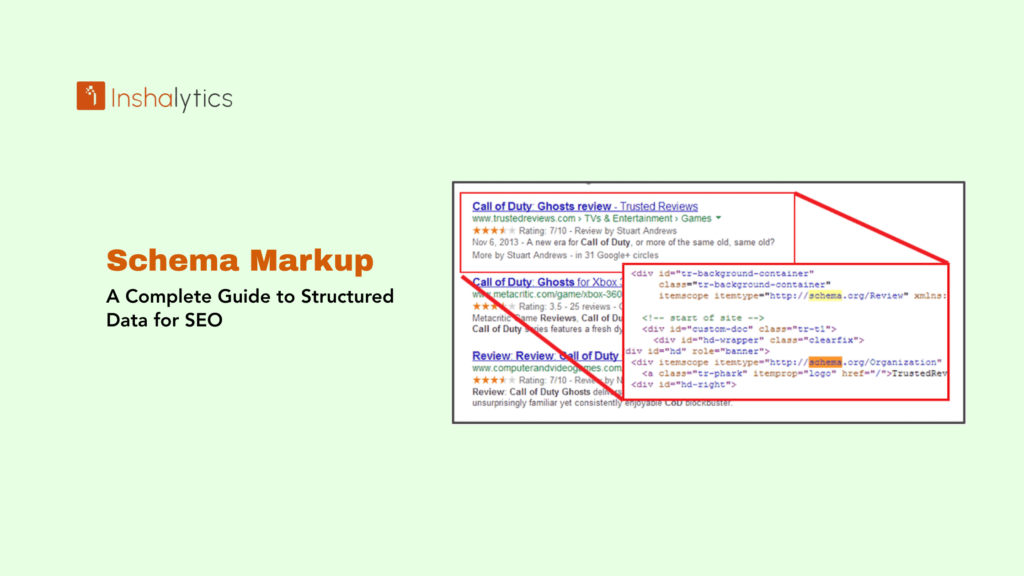
Schema markup, also known as structured data, is standardized code added to webpages that helps search engines understand the meaning and context of your content rather than just reading raw text. By labeling different elements on your page such as products, reviews, events, recipes, articles, or business information schema markup enables search engines to display enhanced results called rich snippets, improving visibility and click-through rates in search results.
Developed through a collaborative effort between Google, Bing, Yahoo, and Yandex, Schema.org provides a universal vocabulary of tags (schemas) that webmasters can add to their HTML to improve how search engines read and represent their pages. While schema markup doesn’t directly boost rankings, it significantly enhances how your content appears in search results, making it one of the most valuable yet underutilized SEO tactics available.
Navigate This Post
How Schema Markup Works
Schema markup acts as a translator between your webpage content and search engine algorithms, providing explicit context about information that might otherwise be ambiguous.
Without Schema Markup
Search engines see:
John Smith
New York, NY
555-123-4567
The algorithm understands these are text strings but must infer meaning from context and patterns.
With Schema Markup
Search engines see:
{
“@type”: “Person”,
“name”: “John Smith”,
“address”: {
“@type”: “PostalAddress”,
“addressLocality”: “New York”,
“addressRegion”: “NY”
},
“telephone”: “555-123-4567”
}
Now the search engine explicitly knows this represents a person with specific attributes, eliminating ambiguity.
The Schema Process
- Add structured data – Implement schema markup on your webpage using JSON-LD, Microdata, or RDFa format
- Search engines crawl – Bots discover and parse the structured data during regular crawling
- Data extraction – Search engines extract specific information from your markup
- Understanding and indexing – Algorithms better understand content type, relationships, and attributes
- Enhanced display – Eligible content may appear as rich results with additional information and visual enhancements
Types of Schema Markup
Schema.org includes hundreds of schema types covering virtually every content category. Here are the most valuable for SEO:
1. Organization Schema
Defines business information including name, logo, contact details, and social profiles.
Use for: Company websites, brand pages, corporate sites
Benefits: Knowledge Graph panels, brand recognition, consistent business information
2. Local Business Schema
Specifies detailed business information for local search.
Use for: Restaurants, retail stores, service businesses, professional offices
Benefits: Local pack results, Google Business Profile enhancement, improved local visibility
Key properties: Name, address, phone, hours, price range, geo coordinates
3. Product Schema
Describes product details including price, availability, and ratings.
Use for: E-commerce sites, product pages, online marketplaces
Benefits: Rich snippets with prices and availability, shopping results, product knowledge panels
Key properties: Name, image, price, availability, brand, reviews, SKU
4. Review Schema
Marks up customer reviews and ratings.
Use for: Product reviews, service reviews, business reviews
Benefits: Star ratings in search results, review snippets, increased CTR
Key properties: Rating value, review count, reviewer, review body
5. Article Schema
Identifies news articles, blog posts, and editorial content.
Use for: News sites, blogs, magazines, content publishers
Benefits: Top Stories carousel, article rich results, publisher branding
Key properties: Headline, author, date published, image, publisher
6. Recipe Schema
Provides detailed recipe information.
Use for: Food blogs, recipe websites, cooking publications
Benefits: Recipe rich results with images, ratings, cooking time, and calories
Key properties: Name, image, prep time, cook time, ingredients, instructions, nutrition
7. Event Schema
Describes events with dates, locations, and ticketing information.
Use for: Concert venues, conference sites, theaters, event platforms
Benefits: Event rich results, date and venue display, ticket availability
Key properties: Name, start date, location, performer, offers
8. FAQ Schema
Marks up frequently asked questions and answers.
Use for: Support pages, help centers, informational content
Benefits: Expandable FAQ display in search results, increased SERP real estate
Key properties: Question, accepted answer
9. How-To Schema
Structures step-by-step instructional content.
Use for: Tutorials, DIY guides, instructional articles
Benefits: Step-by-step display with images, enhanced how-to results
Key properties: Name, steps, supplies, tools, time required
10. Video Schema
Provides metadata about video content.
Use for: Video hosting sites, embedded video content, tutorials
Benefits: Video thumbnails in search, video carousels, detailed video information
Key properties: Name, description, thumbnail URL, upload date, duration
11. Breadcrumb Schema
Defines navigational breadcrumb trails.
Use for: All websites with hierarchical structure
Benefits: Breadcrumb display in search results, improved site structure understanding
Key properties: Position, item name, item URL
12. Job Posting Schema
Describes employment opportunities.
Use for: Job boards, career pages, recruitment sites
Benefits: Job listing rich results with salary and details, Google Jobs integration
Key properties: Title, description, date posted, employment type, salary
Schema Markup Formats
Schema.org supports three implementation formats, with JSON-LD being the recommended approach.
JSON-LD (Recommended)
JavaScript Object Notation for Linked Data
<script type=”application/ld+json”>
{
“@context”: “https://schema.org”,
“@type”: “Restaurant”,
“name”: “The Local Bistro”,
“address”: {
“@type”: “PostalAddress”,
“streetAddress”: “123 Main Street”,
“addressLocality”: “New York”,
“addressRegion”: “NY”,
“postalCode”: “10001”
},
“servesCuisine”: “American”,
“priceRange”: “$$”,
“telephone”: “+1-555-123-4567”,
“aggregateRating”: {
“@type”: “AggregateRating”,
“ratingValue”: “4.5”,
“reviewCount”: “250”
}
}
</script>
Advantages:
- Separate from HTML, easier to implement and maintain
- Doesn’t affect page rendering or layout
- Google’s recommended format
- Can be dynamically generated
- Simplest to validate and debug
Microdata
Embedded directly within HTML tags.
<div itemscope itemtype=”https://schema.org/Restaurant”>
<span itemprop=”name”>The Local Bistro</span>
<span itemprop=”servesCuisine”>American</span>
<span itemprop=”priceRange”>$$</span>
<span itemprop=”telephone”>555-123-4567</span>
</div>
Advantages:
- Tightly integrated with visible content
- Content and markup stay synchronized
- Good for dynamic content
Disadvantages:
- More difficult to implement
- Can clutter HTML
- Harder to maintain
RDFa (Resource Description Framework in Attributes)
Similar to Microdata but using different attribute names.
Advantages:
- Extensible and flexible
- W3C standard
Disadvantages:
- More complex syntax
- Less commonly used
- Steeper learning curve
Benefits of Schema Markup
1. Enhanced Search Visibility
Rich results with additional information stand out dramatically from standard listings, occupying more SERP space and catching user attention.
2. Increased Click-Through Rates
Studies show schema markup can increase CTR by 20-40%. Users are more likely to click results displaying ratings, prices, images, or other enhanced information.
3. Better Search Engine Understanding
Schema explicitly tells search engines what your content represents, reducing misinterpretation and improving relevance matching.
4. Voice Search Optimization
Structured data helps voice assistants extract specific information to answer queries, increasing chances of being selected for voice search responses.
5. Knowledge Graph Inclusion
Organization and Person schemas can help your brand or identity appear in Google’s Knowledge Graph panels.
6. Competitive Advantage
While schema adoption is growing, many sites still don’t use it. Implementing schema gives you immediate visual advantage over competitors without markup.
7. Future-Proofing
As search engines become more sophisticated and AI-driven, structured data becomes increasingly important for content understanding and display.
Implementing Schema Markup
Step 1: Identify Content Types
Audit your website to identify which pages qualify for schema markup:
- Product pages → Product schema
- Blog articles → Article schema
- Contact/about pages → Organization schema
- Service areas → Local Business schema
- Recipe posts → Recipe schema
Step 2: Choose the Right Schema Type
Visit Schema.org and search for the most appropriate schema type. Use the most specific type available (e.g., “Restaurant” rather than just “LocalBusiness”).
Step 3: Generate Your Markup
Manual Creation: Write JSON-LD code following Schema.org documentation.
Schema Markup Generators:
- Google’s Structured Data Markup Helper
- Schema.org’s generator tools
- Technical SEO platforms (Merkle, Schema App)
- WordPress plugins (Rank Math, Yoast SEO Premium)
Step 4: Add Markup to Your Pages
Insert JSON-LD code in the <head> section or anywhere in the <body> of your HTML:
<!DOCTYPE html>
<html>
<head>
<title>Your Page Title</title>
<script type=”application/ld+json”>
{
“@context”: “https://schema.org”,
“@type”: “Article”,
“headline”: “Complete Guide to Schema Markup”,
“author”: {
“@type”: “Person”,
“name”: “John Smith”
},
“datePublished”: “2024-12-04”
}
</script>
</head>
<body>
<!– Page content –>
</body>
</html>
Step 5: Validate Your Markup
Use testing tools to verify implementation:
Google Rich Results Test
- Tests specific URLs
- Shows preview of potential rich results
- Identifies errors and warnings
- Provides line-by-line error identification
Schema.org Validator
- Validates markup syntax
- Checks for required properties
- Confirms proper structure
Step 6: Monitor Performance
Track results in Google Search Console:
- Enhancement reports for specific schema types
- Impression and click data
- Error notifications
- Coverage statistics
Common Schema Markup Mistakes
Marking Up Invisible Content – All schema properties must represent content visible to users on the page.
Using Wrong Schema Types – Applying inappropriate schemas (marking blog posts as products) prevents rich results.
Missing Required Properties – Incomplete schemas won’t generate rich results. Include all required and recommended properties.
Inconsistent Information – Schema data must match visible page content exactly.
Multiple Conflicting Schemas – Having duplicate or contradictory schemas on one page confuses search engines.
Marking Up Every Page Identically – Each page should have unique, page-specific schema rather than site-wide templates.
Ignoring Validation Errors – Deploy only error-free markup; ignored errors prevent rich result eligibility.
Best Practices
1. Start with High-Value Pages – Implement schema on pages driving the most traffic or conversions first.
2. Use JSON-LD Format – Simplest to implement and maintain, recommended by Google.
3. Include All Recommended Properties – Beyond required fields, add recommended properties to maximize rich result potential.
4. Keep Markup Updated – When content changes (prices, dates, availability), update schema accordingly.
5. Test Before Deploying – Always validate markup in testing environments before production deployment.
6. Monitor Regularly – Check Google Search Console’s Enhancement reports for errors or warnings.
7. Combine Multiple Schemas – Use multiple schema types on one page when appropriate (Article + Breadcrumb + Organization).
8. Follow Google’s Guidelines – Adhere to quality guidelines to avoid penalties or rich result removal.
Conclusion
Schema markup represents one of the most powerful yet accessible SEO optimizations available. By adding structured data to your pages, you transform how search engines understand and display your content, earning enhanced visibility, higher click-through rates, and better qualified traffic all without needing higher rankings.
While implementation requires technical knowledge, the availability of generators, plugins, and testing tools makes schema markup accessible to websites of all sizes. Start with your most important content types products, articles, or local business information validate thoroughly, and monitor performance through Search Console.
As search continues evolving toward AI-powered understanding and voice interactions, structured data becomes increasingly crucial for visibility. Websites investing in comprehensive schema implementation today position themselves for continued success as search technology advances, making it an essential component of modern SEO strategy.
Key Takeaway: Schema markup is standardized code added to webpages that helps search engines understand content meaning and context, enabling rich results with enhanced information like ratings, prices, images, and dates. Implemented using JSON-LD format and validated through testing tools, schema markup improves search visibility, increases click-through rates by 20-40%, and provides competitive advantage without requiring higher rankings, making it essential for modern SEO success.