Your website gets traffic. You can see it in Google Analytics. Hundreds of homeowners visit every month, clicking around, looking at your services, and yet your phone barely rings. Your inbox stays quiet. Your crew has openings on the schedule.
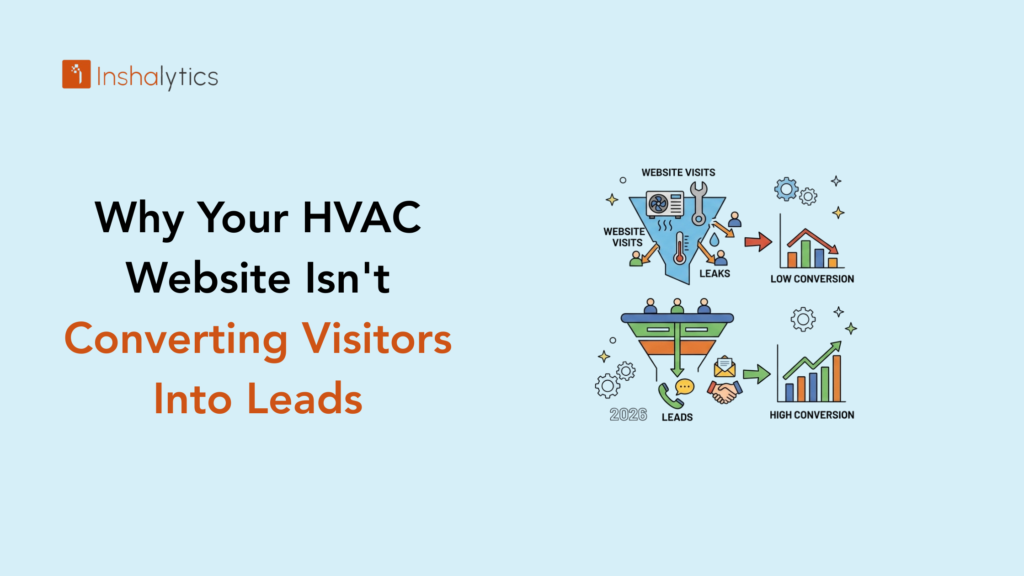
Here’s the math that should terrify every HVAC owner: the average HVAC website converts 2–5% of visitors into leads. That means 95 out of every 100 visitors leave without ever picking up the phone. Top-performing HVAC sites hit 15–30% conversion rates, three to six times more leads from the same traffic.
The difference isn’t traffic quality. It’s the website itself. This guide walks through the nine specific conversion killers we see most often on HVAC websites, plus the fixes that move conversion rates from disappointing to industry-leading.
The Uncomfortable Math: You’re Probably Losing 95% of Your Traffic
Before fixing anything, you need to internalize how much revenue you’re leaving on the table right now.
The Average HVAC Website Converts 2–5% of Visitors
If 1,500 visitors land on your website each month and you convert 3%, you generate 45 leads. If those leads close at 40% into $500 average jobs, that’s $9,000 in monthly revenue from your website. Most HVAC owners assume this is the realistic ceiling. It isn’t.
Top-Performing HVAC Sites Hit 15–30% Conversion
The same 1,500 monthly visitors converting at 15% generate 225 leads. At the same 40% close rate and $500 average ticket, that’s $45,000 in monthly revenue, five times what a 3% conversion site produces. Same traffic, same marketing spend, same service area. The only difference is what happens after the visitor lands on the page.
What 3x to 5x More Leads From the Same Traffic Actually Looks Like
Three to five times more leads isn’t hypothetical. It’s what happens when HVAC websites fix the conversion killers most sites ignore. The traffic is already there. The demand is already there. The only thing missing is a website designed to capture it. Conversion-focused website development typically produces measurable conversion lift within 30–60 days of launch.
Why Isn’t My HVAC Website Generating Leads?
HVAC websites fail to generate leads for four primary reasons: the phone number isn’t prominent enough, the homepage doesn’t pass the 3-second test, mobile load speed is too slow, and there’s no clear differentiation from competitors. Fixing these four issues typically produces a 2–4x improvement in conversion rates within 60 days.
Your Phone Number Is Too Hard to Find
When a homeowner’s furnace dies on a Saturday, they want to call someone immediately. If your phone number is buried in the footer, tucked into a contact page three clicks away, or displayed in small text below the hero image, you’ve lost them. Your phone number must appear in the header of every page, in a sticky mobile bar that scrolls with the user, and repeated throughout service page content.
Your Homepage Doesn’t Pass the 3-Second Test
Show your homepage to someone unfamiliar with your business for three seconds. Can they answer three questions afterward?
- What do you do?
- Where do you serve?
- How do I contact you?
If they can’t answer all three in three seconds, your homepage fails the test. This test reveals the single most common HVAC website problem: homepages designed for aesthetics, not conversion.
Your Site Loads Too Slowly on Mobile
60–75% of HVAC emergency clicks come from mobile devices. The average mobile website loads in 8.6 seconds. More than half of mobile visitors abandon a site that takes longer than three seconds to load. Do the math: if your site takes five seconds to load, you’re losing more than half of your mobile traffic before they ever see your phone number.
You Have No Clear Differentiation From Competitors
If your homepage copy reads like every other HVAC company’s “quality service,” “trusted professionals,” “customer satisfaction guaranteed,” you’re invisible. Homeowners comparing three HVAC websites that all say essentially the same thing default to whichever loads fastest or shows the most reviews. Differentiation lives in specifics: “Same-day service or the repair is free,” “25 years serving [specific neighborhood],” “Certified Carrier Factory Authorized Dealer.”
The 3-Second Rule Every HVAC Homepage Must Pass
The 3-second rule is the fastest way to diagnose homepage problems. If your homepage doesn’t communicate three things in three seconds, it’s failing.
What Do You Do? (Answered Before Scroll)
Your primary service should be immediately obvious from your hero section. “ABC Heating & Cooling” as your company name isn’t enough. “HVAC Services in [City]” as a subheadline, or “AC Repair, Furnace Installation, and Indoor Air Quality” as a tagline, makes your services clear before the visitor processes anything else.
Where Do You Serve? (Local Signals Above the Fold)
Add your city or service area prominently in your hero section. “Serving [City] and surrounding suburbs since 1998” accomplishes two things: it signals local trust, and it confirms to visitors they’re on the right website. A homeowner searching for a local contractor needs immediate confirmation that they have found one.
How Do I Contact You? (Click-to-Call Always Visible)
Your phone number, click-to-call enabled, must appear in your header and remain sticky as users scroll on mobile. “Contact Us” as a menu item is not enough. The path to calling you should be a single tap, visible on every page, at every scroll position.
Mobile Optimization: Where 60–75% of HVAC Leads Are Won or Lost
Your mobile experience determines whether you capture or lose the majority of your potential leads.
Why Mobile Speed Is a Conversion Killer at 3+ Seconds
A one-second delay in page load time reduces conversions by 7%. A three-second delay cuts conversions by more than half. HVAC emergencies often happen at inconvenient times, late at night, on weekends, when homeowners are on their phones. If your site loads slowly on mobile, you’re invisible during your highest-value conversion moments.
Test your site at Google PageSpeed Insights and aim for load times under two seconds on mobile. Common fixes include image compression, upgraded hosting, and removing unnecessary scripts and plugins.
Sticky Phone Numbers and Tap-to-Call Buttons
Mobile users shouldn’t have to search for your phone number. Implement a sticky header that pins your phone number at the top of the screen as users scroll. Add a fixed-position floating call button at the bottom of the screen on mobile. These two elements alone can boost mobile conversions significantly.
Form Fields and Mobile Form Abandonment
Every extra form field you require increases abandonment. A form asking for name, phone, email, address, service type, preferred time, and “how did you hear about us” loses the majority of mobile users before submission. Strip forms to essentials: name, phone, and a short description of the problem. Everything else can be gathered on the follow-up call.
The Trust Signal Mistakes That Quietly Kill HVAC Conversions
Trust signals, or the lack of them, decide whether hesitant visitors become leads or bounce back to Google.
Generic Stock Photos That Make You Look Like Everyone Else
Stock photos of smiling technicians in front of pristine HVAC equipment fool nobody. Every HVAC website uses the same 12 stock photos, which makes all of them look interchangeable. Invest in real photography of your actual team, your actual trucks, and your actual completed work. Authentic photos dramatically outperform stock images in conversion testing.
Missing or Hidden Reviews and Testimonials
Consumer research consistently shows that the majority of buyers hesitate to hire without reading reviews. Burying your reviews on a separate page, or excluding them entirely, forces visitors to leave your site to verify you. Embed Google review widgets on your homepage and service pages. Feature 3–5 specific testimonials with customer names and photos when possible.
No License, Insurance, or Certification Badges
“Licensed, bonded, and insured” printed in small text on your About page doesn’t build trust. Visible badges BBB Accredited, Google Guaranteed, manufacturer certifications, and local chamber memberships reduce hesitation measurably. These are cheap to display and dramatically affect conversion rates.
Outdated Design That Signals “Out of Business”
HVAC websites that look like they were designed in 2014 signal “this company might not exist anymore” to modern visitors. Design doesn’t need to be cutting-edge, but it needs to look current. A homeowner won’t invite you into their home if your website makes them worry you’ve already closed.
Call-to-Action Errors That Leave Leads on the Table
Your calls to action guide visitors toward the next step. Vague or poorly placed CTAs lose conversions that should have been easy wins.
Vague CTAs Like “Contact Us” or “Learn More”
“Contact Us” is a placeholder, not a CTA. Specific, action-oriented language converts significantly better: “Schedule Service,” “Get a Free Estimate,” “Call for Same-Day Repair,” “Book Your Tune-Up.” The CTA should tell the visitor exactly what happens when they click.
One CTA Per Page vs. Multi-Path Conversion Design
Different visitors prefer different contact methods. Some want to call immediately. Others prefer to fill out a form. Others want to text. Multi-path CTAs include a primary phone number, a short form, and a text/chat option to capture conversions from each preference. Single-CTA pages force visitors into one path and lose those who prefer another.
Forms That Ask for Too Much Too Soon
A contact form asking for eight pieces of information before you’ll respond telegraphs “we don’t respect your time.” Strip forms down to name, phone, and problem description. Every additional field reduces conversions by a measurable percentage.
Content Gaps That Make Visitors Bounce Back to Google
If visitors don’t find answers on your site, they bounce back to Google, right into your competitor’s site.
Thin Service Pages That Don’t Answer Buyer Questions
A service page with 200 words of generic copy doesn’t convert visitors or rank in search engines. Robust service pages answer common buyer questions, explain the service process, address pricing considerations, and include FAQ sections for featured snippet capture. Aim for 800–1,500 words per service page.
No Local Content That Proves You Serve Their Area
Visitors searching “HVAC repair in [specific neighborhood]” need confirmation that you serve their neighborhood. Generic “serving the Greater [Metro] area” doesn’t cut it. Build dedicated location pages for each primary neighborhood, suburb, and city you serve, with content specific to those areas.
Missing FAQ Sections That Address Objections
Common HVAC questions: “How much does a new AC cost?” “Do you offer financing?” “Do you work on older systems?” goes unanswered on most HVAC websites. An FAQ section that addresses these objections head-on reduces hesitation and captures featured snippet traffic from Google.
How to Audit Your HVAC Website’s Conversion Rate Right Now
A quick self-audit reveals exactly where your website is leaking leads.
Running the 10-Page Walkthrough Test
Open your website on your phone. Navigate from your homepage through your top three service pages, your contact page, and your location pages. How long does each take to load? Count how many taps are required to reach your phone number. Note every point where you felt confused or frustrated. Each pain point you find is costing you conversions.
Tracking Conversion Events in Google Analytics 4
Set up conversion events in Google Analytics 4 for every lead-generating action: phone clicks, form submissions, chat starts, and scheduling attempts. Without conversion tracking, you’re optimizing blind. Conversion tracking setup is part of every proper HVAC website build.
Heatmap and Session Recording Tools Worth Using
Tools like Hotjar and Microsoft Clarity record user sessions on your website, showing you exactly where visitors click, scroll, and abandon. A few days of session recordings reveal patterns you’d never catch from analytics alone. Clarity is free and produces insights equivalent to tools costing hundreds per month.
How Inshalytics Turns HVAC Websites Into Lead-Generating Machines
We build HVAC websites designed specifically for conversion, not aesthetics. Pretty sites lose to functional ones every time.
Our Conversion-First Web Design Framework
Every Inshalytics HVAC website starts with conversion goals and works backward to design. Phone number prominence, mobile-first layouts, strategic trust signals, and dedicated landing pages for primary services are baked into the foundation. Aesthetics serve conversion, not the other way around.
The Owned-Leads Principle Behind Every Site We Build
A website that converts is the foundation of owned lead generation. SEO rankings, paid ad clicks, and social media traffic all funnel through your website. If the website doesn’t convert, every other marketing channel underperforms. Invest in the foundation first.
Typical Conversion Rate Lifts and Timelines
HVAC clients typically see conversion rate improvements within 30–60 days of a new website launch, with conversion lifts ranging from 2x to 5x previous performance. At these lift rates, the website pays for itself in additional monthly revenue within the first quarter.
Your HVAC Website Conversion Checklist
Use this checklist to grade your current website and identify the highest-priority fixes.
10-Point Self-Audit You Can Run This Week
Score your website on each:
- Phone number visible in header on every page (0 or 1)
- Mobile load time under three seconds (0 or 1)
- Hero section answers what/where/how in three seconds (0 or 1)
- Click-to-call phone button on mobile (0 or 1)
- Google reviews embedded on homepage (0 or 1)
- Real photos of team and trucks (0 or 1)
- Service pages over 800 words each (0 or 1)
- Dedicated location pages for primary service areas (0 or 1)
- Forms limited to three or fewer fields (0 or 1)
- Conversion tracking active in Google Analytics (0 or 1)
Score below 7: Major conversion problems costing you significant revenue. Score 7–9: Solid foundation with specific fixes needed. Score 10: You’re already ahead of most HVAC competitors.
When It’s Time for a Full Website Redesign
If your website is more than four years old, scores below 6 on the audit, or visibly looks outdated compared to top competitors, a redesign typically produces faster and larger conversion gains than incremental fixes. A proper rebuild costs $5,000–$15,000 but often pays for itself in a single quarter of improved conversion. Your HVAC website is either a lead-generating machine or a leak draining revenue every month. The difference comes down to specific, fixable design decisions, not magic, not massive budgets, and not endless redesign cycles. If you’re ready to turn your website from a conversion weak link into your strongest marketing asset, Inshalytics builds HVAC websites engineered for leads, not just looks. Book a free website audit, and we’ll show you exactly where your site is losing leads and what it takes to fix it.