A homeowner requests a quote at 10:47 AM on a Tuesday. You’re mid-job, hands full, and don’t see the notification until 2:30 PM. By then, they’ve already booked with someone else. That scenario a lead arriving at the wrong moment and expiring before you can act on it is the single most expensive operational problem in a handyman business. The fix is not working harder. It is having a CRM that handles the follow-up automatically while you focus on the job in front of you. This guide compares the handyman CRMs that do this best, explains what to look for before you choose one, and frames where a CRM fits inside the broader lead generation system that feeds it.
Why Lead Follow-Up Is the Real CRM Problem for Handyman Businesses
CRM software is marketed around scheduling, invoicing, and customer records. Those features matter. But for a handyman business, the feature that separates a CRM that pays for itself from one that collects dust is how it handles a lead in the first five minutes after it arrives.
The On-Site Problem: Leads Arriving While You’re Mid-Job
Most handyman business owners are physically unable to answer the phone for large portions of their working day. You’re on a ladder. You’re running a saw. You’re under a sink. The phone rings, or a web form submission comes in, or an LSA lead notification fires, and you cannot respond. This is not a discipline problem. It is a structural reality of trade work. The consequence is predictable: 78% of consumers who call a local business and get no answer will not call back. They move to the next listing. Without a CRM that triggers an automatic response the moment a lead arrives, every missed call is a lost booking. The true cost of bad leads for handyman businesses covers the revenue math, but missed follow-up is a cost that dwarfs even bad lead quality.
What a Missed or Delayed Follow-Up Actually Costs
Research on lead response times consistently shows that contacting a lead within five minutes of their enquiry makes you exponentially more likely to connect than waiting 30 minutes, and a missed lead costs the average home service business roughly $1,200 in lost revenue per incident, accounting for the average job value and the probability that a contacted lead books. For a handyman business handling 40 inbound enquiries a month with a 10% miss rate, that is four lost jobs, potentially $4,800 or more in monthly revenue leaking through unanswered notifications and delayed callbacks. A CRM with automated instant response recovers that revenue by ensuring every lead gets a reply before a competitor answers their phone.
Why Generic CRMs Fail Handyman Businesses Specifically
Salesforce, HubSpot, and general-purpose CRMs are built for desk-based sales teams with predictable work patterns. A handyman business has variable job durations, unpredictable call timing, multi-service job types, and a single owner doing the work, the quoting, and the scheduling simultaneously. Generic CRMs require too much manual input to maintain, lack SMS-first communication (handymen and homeowners both prefer texting over email), and have no concept of a service job workflow estimate to schedule to invoice to review. Field service management CRMs built specifically for trades handle all of this natively. The question is which one handles it best for a business at your stage.
What to Look for in a Handyman CRM Before Comparing Tools
Before evaluating specific platforms, define what “good lead follow-up” actually requires from a CRM. These are the capabilities that matter most, ranked by operational impact for a handyman business.
Automated Instant Response: The Non-Negotiable Feature
The most important CRM feature for a handyman business is automated instant response to new leads: a text message that fires within seconds of a missed call, a web form submission, or an LSA lead notification. This message does not need to be complex: “Hi, this is [Business Name], thanks for reaching out. We’re currently on a job and will call you back shortly. Here’s a link to see our services: [link].” That one automated text keeps the lead warm, signals professionalism, and buys you time to call back between jobs. Without this feature, every lead that arrives while you’re working is a coin flip.
Lead Pipeline Visibility From First Contact to Booked Job
A visual lead pipeline a board showing where every prospect sits from initial enquiry to estimate sent, estimate approved, job scheduled, and invoice paid is what prevents leads from going cold quietly. Without it, follow-ups exist only in memory or a scattered notes app. With it, you can see at a glance that you sent an estimate to three homeowners four days ago and haven’t heard back a trigger to follow up before they book someone else. The CRMs that do this well make the pipeline actionable, not just visual: clicking a lead shows the full conversation history, the estimate, and a one-tap option to send a follow-up text.
SMS-First Communication vs. Email-Reliant Systems
Homeowners who search for a handyman on their phone want to communicate on their phone. Email open rates for home service follow-ups average 20–30%. SMS open rates average over 90%. A CRM that routes all follow-up communication through email while offering SMS as a paid add-on or afterthought will underperform against one where texting is the default channel. Look for two-way SMS built into the base plan, not gated behind an enterprise tier. For handyman businesses, SMS is not a nice-to-have it is the primary communication channel between lead receipt and booked job.
The Main Contenders: CRMs Handyman Businesses Actually Use
The field service CRM market has consolidated around a handful of platforms that specifically serve home service trades. These are the ones handyman businesses are actually using in 2026 evaluated specifically on lead follow-up performance.
Jobber Best Structure for Solo Operators and Small Crews
Jobber is the most widely used CRM for small handyman businesses at the solo-to-five-crew stage. Its strength is operational clarity: clean scheduling, professional quote delivery, QuickBooks Online integration, and automated client follow-up reminders built into the base workflow. For lead follow-up specifically, Jobber sends automated job follow-up messages after completion (the review request hook) and allows you to configure client reminders for estimates that haven’t been responded to. Its weakness is the instant missed-call text that feature requires an add-on or a third-party integration with a tool like Zapier + a messaging service. For a solo handyman or a small crew where the owner manages all inbound enquiries personally, Jobber is the most defensible starting point. It is fast to set up, well-documented, and has no enterprise complexity forcing you to pay for features you won’t use.
Housecall Pro Best Automation for Fast-Moving Small Teams
Housecall Pro targets the two-to-ten-technician home service business and has invested more heavily in communication automation than Jobber. Its ‘Instinct’ AI features (available on higher tiers) include automated missed-call text-back, which fires a customisable SMS to any caller who does not reach a live person directly addressing the on-site problem. Housecall Pro also has a stronger review request automation system and a more developed customer communication timeline showing every touchpoint in one view. The trade-off is pricing: Housecall Pro’s automation features that matter most for lead follow-up are locked behind its mid-tier and higher plans. For a handyman business doing consistent monthly revenue with more than one crew, it is likely worth it. For a solo operator, the per-month cost may outpace the value. See how the review automation feature connects to the broader review generation system for handyman businesses.
ServiceTitan Built for Scale, Priced for Scale
ServiceTitan is the most powerful field service CRM available and the most expensive and complex to implement. Its lead follow-up capabilities are genuinely advanced: automated multi-step follow-up sequences, AI-driven call scoring, deep reporting on lead source attribution, and marketing automation that ties ad spend directly to booked job revenue. For a handyman business doing $2M+ in annual revenue with 10+ crew members and a dedicated admin or dispatcher, ServiceTitan’s capabilities justify the investment. For a business at $300K–$800K revenue run by the owner with two or three crew members, the implementation burden (typically four to six weeks) and custom pricing (usually $300+/month) will absorb more resources than the platform returns. ServiceTitan is the right answer when you’ve outgrown Jobber and Housecall Pro not before.
DripJobs Follow-Up Drip Campaigns Built for Trades
DripJobs is a smaller, trades-specific CRM built around one feature its larger competitors underdeliver: automated follow-up drip sequences that run across multiple touchpoints after an estimate or enquiry. Where Jobber and Housecall Pro send one follow-up reminder, DripJobs can send a structured sequence: a text on day one, an email with photos of similar completed jobs on day three, a final “we’re still available” text on day seven. For handyman businesses that receive a high volume of estimates that go cold without a response, this drip architecture directly recovers bookings. DripJobs is worth evaluating if your primary complaint about your current CRM is that estimates disappear into silence. It integrates with Zapier, supports QuickBooks, and includes two-way SMS in its base plan.
Which CRM Handles Lead Follow-Up Best?
Comparing these platforms on lead follow-up specifically, not on scheduling UI or invoice design, produces a clear picture.
Head-to-Head: Automated Follow-Up Features Compared
The table below compares the four main platforms on the features that directly determine lead follow-up performance:
| Feature | Jobber | Housecall Pro | ServiceTitan |
| Auto text on missed call | Add-on required | Built-in | Built-in |
| Drip follow-up sequences | Basic | Moderate | Advanced |
| Lead pipeline view | Yes | Yes | Yes (advanced) |
| SMS-first comms | Yes | Yes | Yes |
| Review request automation | Yes | Yes | Yes |
| Setup complexity | Low | Low–Med | High |
| Starting price/month | ~$49 | ~$79 | Custom ($300+) |
| Best fit | Solo / 1–5 crew | 2–10 crew | 10+ crew / $2M+ rev |
Note: pricing and features change. Verify current plan details with each vendor before committing.
Response Speed: Which Platforms Catch the Lead Before a Competitor Does
On the single most important follow-up variable, time-to-first-response on a missed contact, Housecall Pro and ServiceTitan have a native advantage through built-in missed-call text-back. Jobber requires an additional integration to achieve the same result but can be configured to do it. DripJobs is strongest on sustained follow-up over days rather than instant response in the first 60 seconds. The combination that works best for most handyman businesses at the small-to-mid stage: Jobber or Housecall Pro for operations, paired with a configured instant-response sequence that fires the moment a lead arrives. For a deeper look at how lead source tracking connects to this response infrastructure, see our guide on how to track where your handyman leads come from.
The Right Pick by Business Size and Setup
Business size and operational complexity should drive the CRM decision more than any individual feature:
• Solo operator, under $300K revenue: Jobber on the Core or Connect plan. Fast setup, affordable, covers all the basics. Add a Zapier workflow for instant SMS on missed calls.
• 2–8 crew members, $300K–$1.5M revenue: Housecall Pro. Built-in automation covers the follow-up gaps Jobber requires workarounds for. The mid-tier plan is the right entry point.
• 8+ crew, $1.5M+ revenue with dispatch staff: ServiceTitan. The cost is justified when the volume and complexity warrant it. Evaluate with a formal demo and ROI projection.
• High estimate volume with cold-lead recovery as the main problem: DripJobs alongside your existing operations tool, or as a primary CRM if you’re starting fresh.
What a CRM Cannot Fix on Its Own
A CRM organises and automates your response to leads that arrive. It does not generate those leads. This distinction matters because many handyman businesses invest in CRM software expecting it to grow their pipeline and are disappointed when a well-configured Jobber account still rings quietly on slow weeks. The CRM is the middle of the funnel, not the top.
The Lead Source Problem: Garbage In, Garbage Out
A CRM is only as valuable as the leads flowing into it. A handyman business getting five enquiries a week through a well-optimised GBP and local SEO presence will extract far more value from a CRM than one getting five enquiries a week from a shared-lead platform where the same contact goes to four competitors simultaneously. Before investing in CRM automation, it is worth auditing lead quality vs quantity for handyman businesses because automating follow-up on low-quality leads at scale is an efficient way to waste time. The goal is high-intent, exclusive enquiries from homeowners who found you specifically, not a marketplace that brokered you alongside three competitors.
Why CRM + Lead Generation System Outperforms Either Alone
The handyman businesses that produce consistent, predictable revenue operate with both sides of the funnel working together: a lead generation system (GBP optimisation, local SEO, LSA, a converting website) that generates high-intent inbound enquiries, and a CRM that captures every one of those enquiries, responds instantly, and follows up until a booking is made or the lead is definitively closed. Neither half works without the other. A strong CRM with a weak lead source produces an organised empty calendar. A strong lead source with no CRM produces a full inbox of missed opportunities. See how the lead generation side is built in our guides to handyman lead generation and how homeowners search for handymen online.
How Inshalytics Connects Your Lead Generation to Your CRM
Most handyman businesses choose a CRM independently of how their marketing is set up and then discover that the two systems don’t communicate the way they expected. Leads from the website don’t flow into the CRM automatically. LSA notifications arrive in one place while GBP messages arrive in another. Attribution is broken from day one. Inshalytics builds the marketing infrastructure that feeds your CRM correctly from the start.
Building the Top of the Funnel That Feeds Your CRM
The leads that a CRM handles best are high-intent, exclusive, inbound enquiries from homeowners who found your business specifically through Google search, your GBP listing, or an LSA ad, and contacted you directly. These are the leads with the highest close rates and the lowest cost per booked job. Inshalytics builds the Google Business Profile, local SEO content, and website conversion architecture that generates this type of lead consistently. When your CRM is receiving five to fifteen of these contacts per week rather than shared marketplace leads, its follow-up automation works at its designed efficiency, not against the friction of competing with three other handymen on the same contact.
What Happens When the Marketing System and CRM Work Together
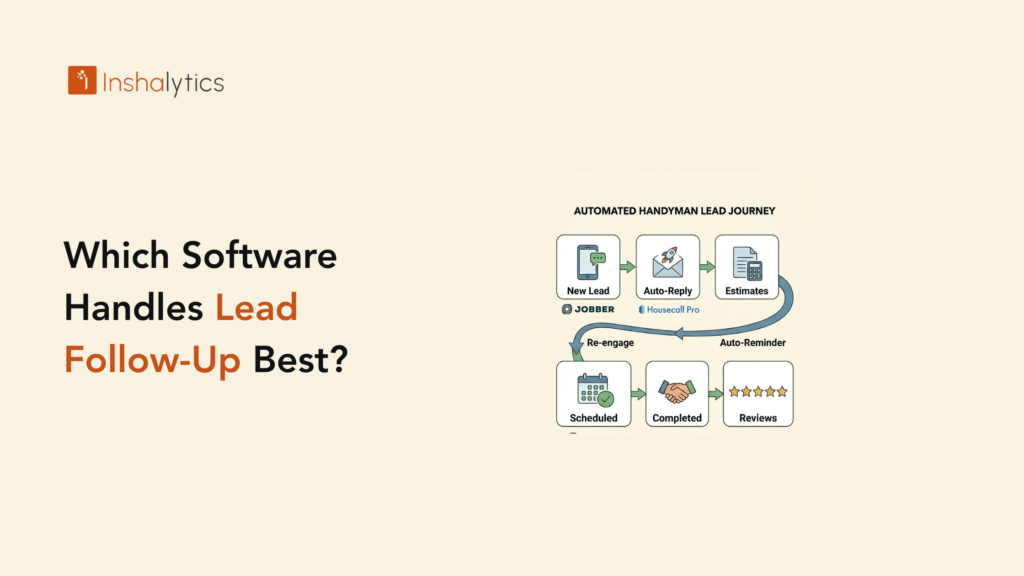
A handyman business with a well-built top of funnel and a correctly configured CRM operates on a closed loop: marketing generates the lead → CRM captures and auto-responds → owner follows up and quotes → job booked → review request fires automatically → review strengthens GBP ranking → GBP generates more leads. Each stage feeds the next. When Inshalytics manages the marketing side of this loop GBP optimisation, local SEO, LSA management, and review generation and the CRM handles the operational side, the result is a pipeline that compounds rather than fluctuates. The systemised handyman marketing operation this creates is what separates businesses that grow steadily from those that cycle through feast-and-famine indefinitely.
Want to see what the marketing side of this loop looks like for your market? Talk to Inshalytics about building the lead generation infrastructure that gives your CRM something worth automating.